Welding Shade Chart: The Complete Guide to Picking the Right Lens Shade (OSHA & ANSI Tables for 2026)
The complete welding shade chart explained: OSHA lens shade tables for SMAW, MIG, TIG, plasma and cutting, plus…
READ ARTICLE →The call came at 9:40 at night, which is how you know it is never good. Marta Velez had been welding pressure pipe for eleven years and had never once complained about her eyes, but the foreman on the other end of the line described the same thing every welder eventually describes: grit, then burning, then a light so aggressive that the bathroom mirror overhead felt like an accusation. By the time she got to the urgent care clinic her left eye was streaming and both eyes were squeezed shut against a strip light that would not stop hurting. The diagnosis was photokeratitis — arc eye — and the cause was not a bad helmet. It was a helmet nobody had tested.
The cartridge had a dead sensor. Not all of them: the lower-left photodiode still worked, so the lens still darkened when Marta struck an arc straight on, in the position she used ninety percent of the time. But her job that day was an out-of-position tie-in under a platform, arc thrown sideways, helmet canted, sensor pointed at a steel deck plate instead of at the puddle. The lens never fired. She struck that arc maybe forty times before the shift ended, and each time her eye took a full, unfiltered dose of a spectrum that runs from 200 nanometers to 1,400. She just could not feel it happening. That is the cruel detail in every welding eye injury: the cornea is burned in milliseconds and the pain arrives six hours later, which means your body gives you no warning signal whatsoever.
What makes the story frustrating is how little it would have taken to catch it. A television remote aimed at the sensor window, pressed once, in a dim shop — five seconds. A lit match held up behind a mirror. A phone flash fired into the cartridge while watching through the lens. Any one of those would have shown a dead photodiode on a Tuesday morning instead of an emergency room on a Thursday night.
That is what this guide is about: a complete, repeatable test routine for an auto-darkening welding helmet, from the moment you take it out of the box to the checks you run before every single arc. We will cover why testing matters, the visual inspection that takes ninety seconds, the light-sensitivity tricks that work without striking an arc, the settings that most welders never learn to tune, how to verify UV and infrared protection, how to read the optical class numbers printed on your lens, what temperature does to your response time, and how to keep the whole system alive for the five to seven years it should last. If you want the engineering background first, our companion pieces explain how a welding helmet works and how auto-darkening helmets work at the component level. This one is the hands-on routine.
There is a specific kind of false confidence that comes with an expensive helmet. The reasoning goes: it cost a lot, it came from a reputable brand, it has four sensors and a big viewing area, therefore it works. But a helmet is a safety device made of electronics, optics, and consumable plastic, which means it behaves like every other safety device: it is fine right up until the moment it is not, and it does not announce the transition. Testing is the bridge between assuming protection and knowing you have it.
The primary job of an auto-darkening filter is to stand between your retina and a plasma column. Welding arcs emit radiation across a broad band — roughly 200 to 1,400 nanometers, covering ultraviolet, visible, and infrared — and the way those bands damage tissue is different for each one. Ultraviolet in the 200 to 400 nanometer range is absorbed almost entirely by the front of the eye, which is exactly why the cornea takes the hit. As the Canadian Centre for Occupational Health and Safety explains in its welding radiation fact sheet, ultraviolet C and almost all ultraviolet B are absorbed in the cornea, ultraviolet A passes through to the lens, and exposure to just a few seconds of intense UV can produce arc eye — with symptoms that may not be felt until several hours later.
Seconds. That is the budget. And a peer-reviewed measurement of gas metal arc welding on mild steel makes it worse: effective irradiance measured 500 mm from the arc ranged from 0.51 to 12.9 mW/cm², which works out to ACGIH-based maximum allowable exposure times of only 0.23 to 5.9 seconds per day. That study, published in Industrial Health and archived in PubMed Central, also cites a Japan Welding Engineering Society survey of 1,667 workers at 47 arc-welding workplaces in which 86 percent reported past experience with symptoms of UV keratoconjunctivitis and 45 percent reported recurrences at least once a month — even though most of them were wearing face shields. In other words, exposure is common, protection is often imperfect, and the failure is usually procedural rather than heroic.
Testing the auto-darkening feature confirms the exact thing that survey cannot: that your particular lens transitions fast enough, every time, from where you are actually standing. A delay or a dead sensor means the arc reaches your eye before the filter does. Regular testing is what converts a piece of certified equipment back into certified equipment after a season of drops, cold mornings, and battery changes. For the regulatory framing, OSHA’s eye and face protection standard 1926.102 requires protection from what it calls potentially injurious light radiation and points employers at ANSI Z87.1 as the consensus standard for the devices that do it.
Safety is the reason you test, but visibility is the reason you can actually do the job. A helmet that darkens late, darkens unevenly, or comes back too slowly changes what your hands do. If the lens fails to switch on the first try, you get a flash of over-bright arc and then a dark field, and in that half-second you have already lost the puddle. If the light state is hazed, scratched, or fogged, you cannot see the joint during fit-up, so you position by feel. If the recovery is too slow after the arc stops, you are staring at a dark rectangle waiting for the world to reappear while the puddle is still glowing.
Every one of those failure modes shows up in the finished weld as lack of fusion, wander, inconsistent travel speed, or a toe you had to grind out. Precision work amplifies the problem: low-amperage TIG on thin material gives you a dim arc and a tight tolerance, and detail work like instrument brackets or cosmetic stainless is exactly where a lens with poor optical quality forces you to squint. Testing the darkening behavior and the shade settings together is how you confirm the balance between protection and clarity before the workpiece is ruined.
Auto-darkening helmets are manufactured against published standards, and those standards are the reason the numbers on your lens mean anything. In the United States the reference is ANSI/ISEA Z87.1, the consensus standard for occupational eye and face protection; as the International Safety Equipment Association notes, OSHA accepts eye and face protective devices that are demonstrated to be at least as effective as devices built to ANSI/ISEA Z87.1. In Europe the relevant document has been EN 379 for automatic welding filters, and internationally ISO has published ISO 16321-2:2021, the additional requirements for protectors used during welding and related techniques.
Certification is granted to a new product, though, not to your helmet after four years of shop life. Impact, heat cycling, a drop onto concrete, a scratched cover lens, a corroded battery contact — none of these announce themselves as a certification failure, but each one erodes the performance the certification described. Periodic functional testing is how a welder keeps verifying that the equipment still meets the industry requirements it was sold against, and it is also how you spot the day the answer changes from yes to no. A wider look at shop practice and protective equipment choices is in our welding safety tips collection.
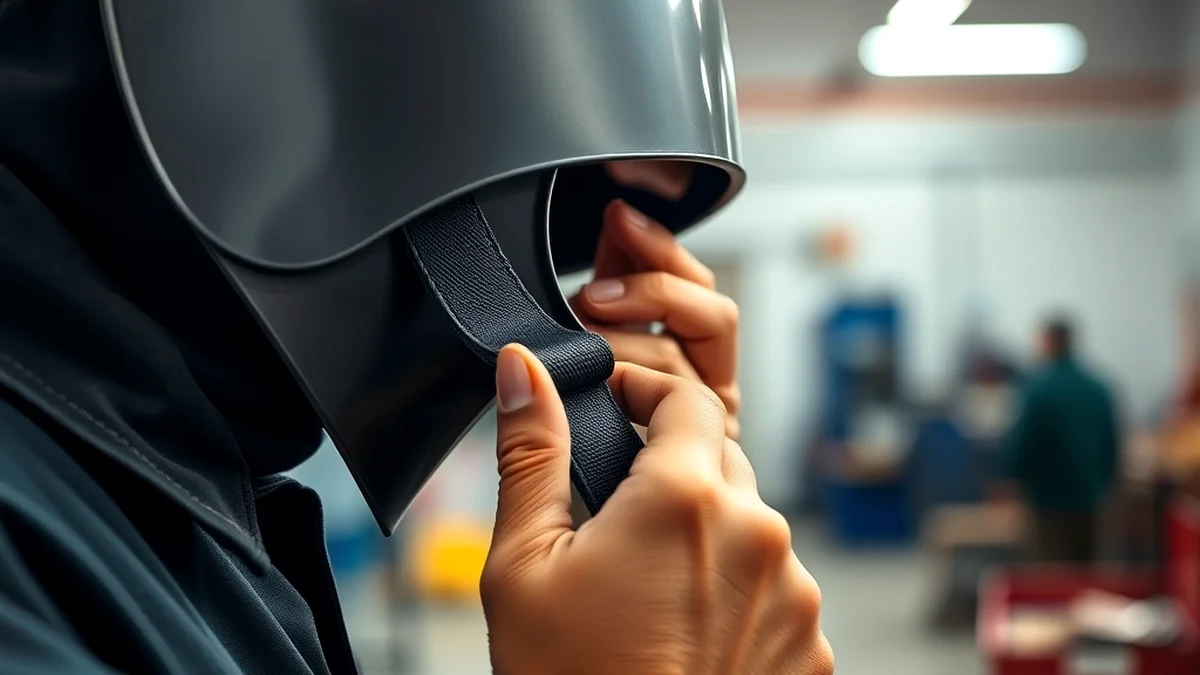
Every functional test starts with a look. This takes about ninety seconds, needs no tools, and catches more real problems than any other step in the routine — because a cracked filter stack or a stripped headgear ratchet cannot be fixed by adjusting a dial. Hold the helmet at arm’s length under good light, turn it over, and work through it in the same order every time so nothing gets skipped.
Look for visible cracks, scratches, or damage on the lens and the frame. Start with the outer cover lens, because it is designed to be sacrificial: fine scratches and a haze of spatter are normal wear, and the fix is to replace a part that costs a few dollars. Then look past it at the auto-darkening cartridge itself. Any crack, delamination, or clouding in the cartridge window is a different situation entirely — it may mean moisture has reached the liquid crystal stack, and a filter that has taken an impact may no longer block ultraviolet and infrared the way it did when it left the factory.
Check the shell too. Fiberglass and polycarbonate helmets crack where they take drops, usually at the edge of the lens opening or around the headgear mounting lugs. Damaged areas on the frame or shell affect structural integrity, which matters for impact protection but also for fit: a shell that has warped will no longer hold the cartridge square to your line of sight, so the shade you think you are looking through is not quite the shade you are looking through. If you find damage in any of these places, stop testing and start replacing — the remaining checks will only tell you how bad it already is.
The next step is the harness. Adjustable straps and headbands stretch, the sweatband rots, the ratchet knob wears until it slips under load, and the pivot friction plates loosen so the helmet will not hold its angle. Make sure all adjustable parts function and that the helmet sits snug without pinching. A poorly fitted helmet is a safety issue in two ways: it can drop or shift during a weld, which exposes your eyes, and it can force you to tilt your head to see, which strains your neck over a shift.
Adjust the headgear to a comfortable position, then do a quick movement test — look up sharply, look down, shake your head once. The helmet should stay where you put it and return to the same position. Check that the helmet reaches full travel in the down position without the edge of the shell pressing into your collarbone, and that it stays up when flipped back. If you wear prescription eyewear under the shell, confirm there is still room, since a harness that has been overtightened over the years is a common cause of glasses that no longer fit; we cover the spacing and fit considerations in wearing glasses under a welding helmet.
The power source is what makes the filter automatic, so this check deserves real attention rather than a glance. Depending on the helmet it may run on replaceable batteries, a solar cell with battery assist, or a combination. For battery-powered helmets, check whether the cells are fresh or need replacing — and check the contacts at the same time, because a green crust on a battery terminal will fail a helmet long before the cell itself runs flat. A weak battery produces a slow or partial darkening response, which is the single most common cause of a lens that “sometimes” works.
For solar-assisted helmets, place the helmet under direct sunlight or a bright shop light and observe whether the cells respond; many helmets will show a test mode or a visible darkening when charging normally. If the cells do not charge, the helmet may not function when you need it, and solar cells shaded by a scratched cover lens or a layer of grime charge far more slowly than clean ones. Note that solar assist is a supplement, not a guarantee: a solar helmet in a dim basement booth is effectively a battery helmet with extra steps. The full procedure for opening a cartridge, replacing cells, and resetting the clock on the battery indicator is covered in how to change a welding helmet battery.
For welders using battery-powered helmets, the smartest habit in the trade is a spare battery in the same pocket as your soapstone. It costs almost nothing and it removes the two failure modes that catch people: the battery that dies mid-weld, and the battery that died last week and you did not notice because the lens still worked in bright ambient light. Batteries drain faster in cold environments and under frequent use, so if you are working outdoors in winter, check the level at the start and again at lunch.
Shop rule worth adopting: batteries are consumables with a date on them. Write the install date on a piece of tape inside the shell, and swap on a schedule — once a year for most helmets, twice a year if you weld daily or work in the cold — rather than waiting for the lens to tell you by failing at the worst possible moment.
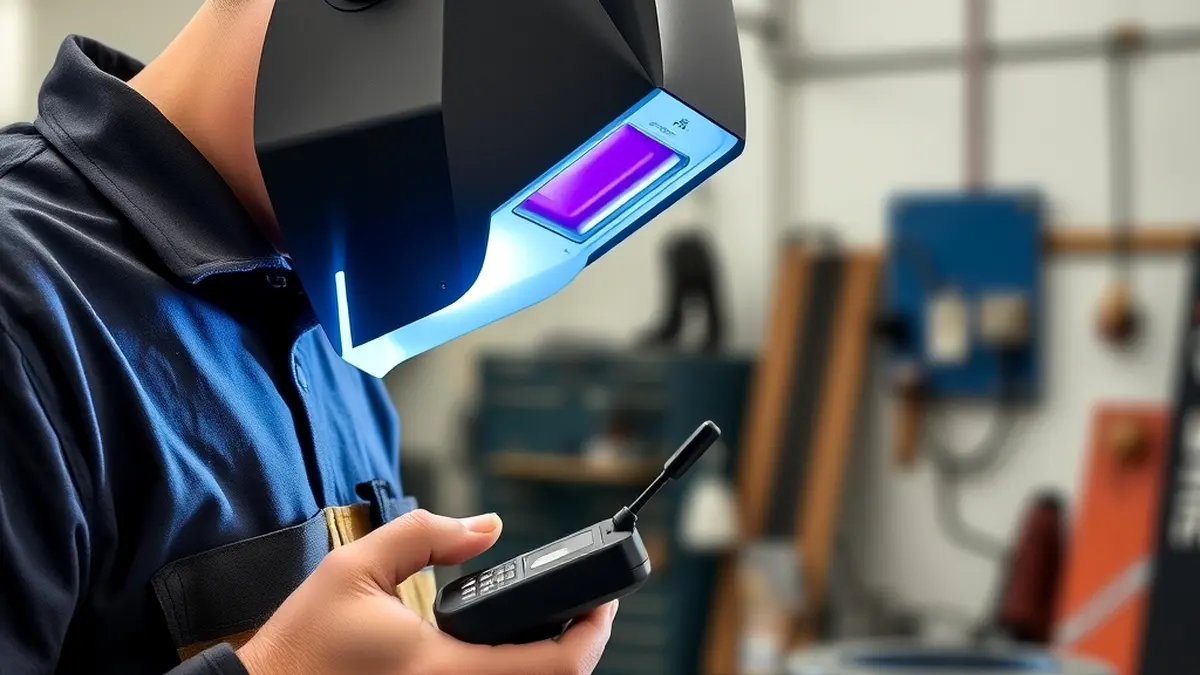
Now the interesting part. The sensitivity test answers one question: do the light sensors see what they are supposed to see, and does the cartridge respond? It can be done at a bench, with the helmet off your head, in under a minute, and it is the test that would have caught Marta’s dead sensor. The principle behind every version of it is the same — the photodiodes in an auto-darkening cartridge are broadband detectors that respond to bright light including the infrared in a welding arc, so any reasonably intense source in that neighborhood will trigger them.
The easiest method uses something you already own: a standard household remote control, the kind that came with your television. Aim the remote at the helmet’s sensor window and press any button. The remote emits infrared light from its LED — a narrow, pulsing burst right in the band these sensors are built to detect — and if the lens darkens, the sensor and the switching circuit are alive.
If the lens darkens from one angle and not another, you have localized the fault, which is exactly what happened in the case study at the end of this article. If it does not darken at all, troubleshoot the battery or solar cells first; if power checks out, the sensors or the cartridge are the suspects.
Not everyone has a remote within reach of the welding bench, and a few alternative triggers are worth knowing because they test slightly different things. All of them are safe, and all of them are better than “I will check it when I strike the first arc.”
Be clear in your own mind about what these tricks do and do not prove. A remote or a candle confirms that the sensors respond and that the cartridge switches. It does not prove the response is fast enough at full arc intensity, it does not prove all four sensors work simultaneously, and it does not measure the actual shade reached. That is why the bench test is the first gate, not the last one — real arc testing comes later in the routine.
Most auto-darkening helmets carry adjustable sensitivity, either a dial or buttons inside or outside the shell. After the trigger test, change the setting and re-run it: with sensitivity at the low end the lens should require a strong source to fire; at the high end it should react to much dimmer light. Learning where your helmet’s threshold sits at each end is the whole point, because the correct setting depends on your environment.
Lower sensitivity is right for bright environments — an outdoor fab yard, a shop with skylights, or a booth next to a cutting table — where ambient light could otherwise trip the lens at the wrong moment. Higher sensitivity is right for dim lighting and low-amperage work: a TIG arc at 45 amps is a faint source by arc standards, and a helmet set too low may not trigger until the arc has been burning for a noticeable fraction of a second. If your helmet has a grind or cutting mode, sensitivity behaves differently there too, because the cartridge is being told not to darken at all for ordinary light levels.
A helmet that passes on a dark bench can still misbehave in the light, so take the test to the actual conditions you work in: under natural sunlight, in a brightly lit workshop, in a dim booth, and in the mixed lighting of a shop where one bay is dark and the next is flooded. The sensor should not activate unnecessarily in ambient lighting, and it should respond promptly to intense sources — including the arc of the welder in the next booth, which is a real-world trigger that catches out helmets set to maximum sensitivity.
Testing across these settings tells you how much margin you have. A helmet that only triggers reliably in perfect conditions has no margin at all, and margin is what you are buying when you test. Do the checks with the helmet in the orientation you actually weld in, too: sensors aimed at a ceiling respond differently than sensors aimed at a puddle.
Modern helmets carry two, four, or even more photodiodes, and they are wired so that the cartridge will usually trigger if any one of them sees the arc. That redundancy is a comfort until you remember what redundancy hides: a helmet with one dead sensor still passes a casual test and still darkens during straightforward work. The failure only appears when the working sensors are blocked or misaimed and the dead one was the one that needed to see.
So test each sensor separately rather than as a group. Cover three of them with a fingertip or a piece of tape and trigger the remaining one with the remote; repeat for each position. A sensor that does not respond on its own is a sensor you should assume will not be there when the other three are pointed the wrong way. From a maintenance standpoint, most cartridges are factory-sealed units, so a dead sensor usually means replacement of the cartridge or the helmet rather than a repair — but knowing it early means you plan the purchase instead of discovering the problem during a production run.
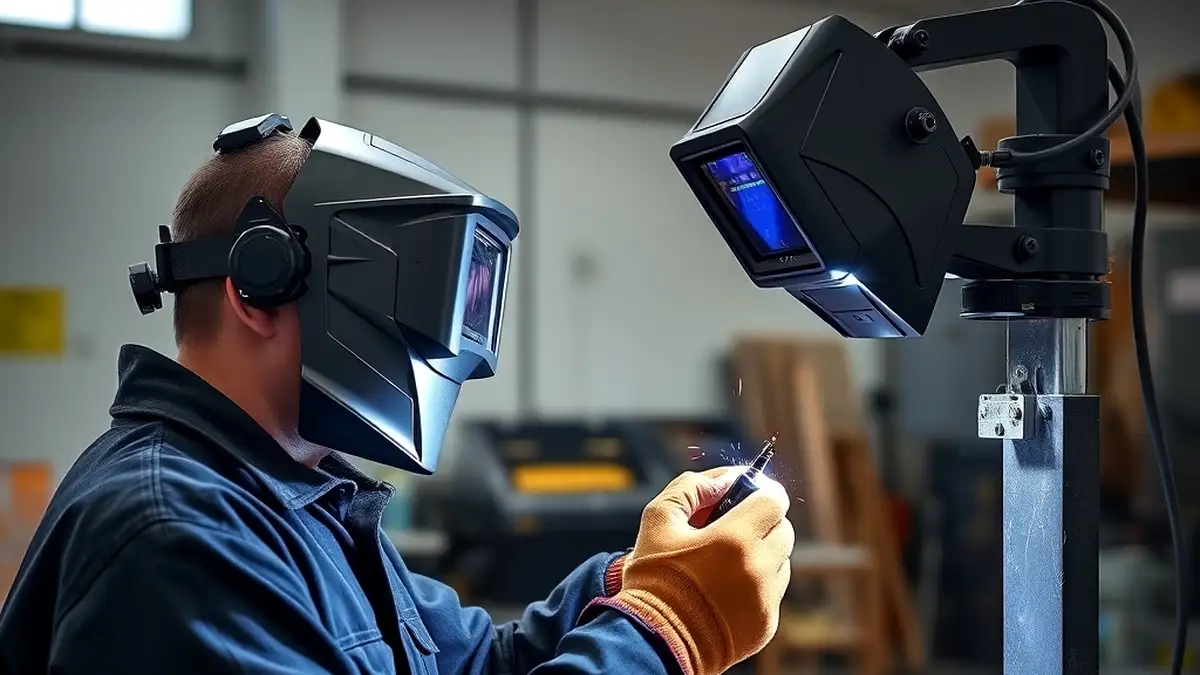
Between the bench tests and a live arc sits an option many welders never think about: a welding simulator. These are controlled light sources designed to mimic the intensity and onset of a real arc without the hazards, and some welding shops, training centers, and equipment suppliers have one on the floor specifically for checking helmets.
The purpose is to reproduce real-world welding conditions safely. A simulator’s light source is calibrated to resemble an arc closely enough to exercise the cartridge the way an arc would — a fast, intense onset rather than the slow ramp of a room light. That matters because some failure modes only appear with a hard, fast trigger: a sluggish circuit that still darkens for a candle may fall behind a full-intensity pulse. In a training environment, simulators also let an instructor demonstrate a failing helmet to a class without anyone absorbing radiation to prove the point.
The procedure is deliberately simple. Place the helmet in front of the simulator’s light source, at the working distance you normally weld from, with the sensors aimed at the source. Activate the simulator and watch the lens: it should go dark immediately and settle at the shade you have selected. Then vary the distance and the angle, repeat with each sensor blocked in turn, and cycle the simulator several times to check that the helmet recovers fully between events rather than becoming progressively slower.
While you are there, check the dark state itself. Look for an even shade across the whole viewing area — dark corners or a bright band at one edge are a symptom of a failing or low-quality filter stack. Then let the arc stop and time the recovery against the delay setting you have selected; if the lens takes noticeably longer than the delay dial promises, the timer circuit is drifting.
Simulator testing has several advantages over improvised methods. The light source is consistent and repeatable, which removes variables like ambient lighting, distance, and angle that make ad-hoc tests hard to compare from one session to the next. Because the source is controlled, you can also run the same test on two helmets and get an honest comparison. And because no actual arc is struck, there is no fume, no spatter, no hot metal, and no radiation exposure — a simulator test can be done by anyone, at any hour, including in an office or a classroom.
Most importantly, simulator testing is diagnostic. If the helmet performs poorly under a controlled source, the fault lies with the sensors, the power supply, or the cartridge, not with your technique or your position. That lets you fix the problem before you walk into a welding environment where the cost of finding out is measured in corneal damage. If your shop does not have a simulator, ask your welding supply retailer whether theirs can be used to check a helmet before you buy — it is a reasonable request and a good way to compare two models side by side.
Everything so far has been indirect. The definitive test is the one the helmet was built for: an actual welding job, stick or MIG, with your attention on what the lens does from the moment you strike the arc. Do it deliberately rather than as an afterthought — a controlled first weld on scrap is a test, while an absent-minded first weld on a production part is just an absence of testing.
Set up a scrap coupon in the position you normally work, put the helmet on with your settings where you intend to run them, and strike an arc with the specific intent of observing the lens. It should darken the instant the arc is established, hold a steady shade while you run the bead, and return to the light state when you break off. Run the test twice: once straight on with the sensors square to the arc, and once in an awkward position — overhead, out-of-position, or with the helmet canted — because that second pass is where blind spots show themselves.
While the puddle is live, check three things at once. Is the darkening complete, or is there a visible bright first frame? Is the shade consistent as you move your head? And can you see the puddle clearly enough to judge wetting at the toes? After the weld, chip the slag, flip the hood back down, and look at the finished bead through the lens in the light state — if the weld looks muddy or tinted, the light-state clarity is costing you inspection quality.
Reaction time is the specification that separates a good helmet from a dangerous one. A high-quality auto-darkening filter should darken within 1/25,000 of a second after detecting the arc. To put that number in context, as the trade press explains in its optical clarity explainer for The Welder, the human eye can sense variations in light as fast as 1/2,000 of a second, and the best cartridges detect and switch about ten times faster than that — which is why a properly functioning helmet leaves your eye virtually no exposure to the arc at all.
Compare that with the exposure budget from the ultraviolet study cited earlier: fractions of a second per day. Response time is not a marketing number, it is the entire safety margin. If you notice any delay during the arc test, suspect the sensors or low battery power first, because those are the two faults that slow a switch down. Slower helmets cause discomfort and afterimages, and in the worst case they deliver enough light to produce the flash you were trying to avoid.
The other half of the arc test is what you see when you are not welding, because that is where all the setup work happens. Before striking an arc, the helmet should give a clear, unobstructed view of the workpiece and the surrounding area — layout lines, fit-up gaps, tacks, and the position of your filler hand. A cloudy or obstructed lens makes accurate electrode placement guesswork, and it pushes welders into the habit of lifting the hood at the wrong moment.
Check clarity at both ends of the cycle. In the light state, look for distortion, haze, and blemishes, and check whether colors read true — a strong green cast is common in older filters and makes it harder to judge heat tint on stainless. After the arc stops, the lens should lighten to the same clarity it started with; a filter that returns to a slightly hazier state than before may be heating or failing. If clarity is the limiting factor, our guide to choosing the best auto-darkening welding lens walks through what actually changes the view.
Sensitivity controls how much light the photocell needs before the filter darkens, and delay controls how long the lens stays dark after the arc stops. Testing these two dials is what separates a helmet that merely works from one that works on your specific process.
The reason adjustment matters is that not all arcs look the same to a sensor. A high-amperage spray-transfer MIG arc floods a shop with light, while a low-amp TIG arc on stainless is comparatively dim. A helmet set to maximum sensitivity in a shop where another welder strikes an arc will flash you from ten feet away; the same helmet set too low will not darken at all for fine TIG work. Here is how to test both settings systematically:
Delay testing deserves special attention for overhead and out-of-position work. When you finish a vertical-up pass and break the arc, the solidifying crater is still glowing. A delay set too short opens the lens while that crater is visible, and your eyes take a hit of visible and IR radiation. A delay set too long leaves you standing in the dark hunting for the next joint. Test the delay at the end of real welds, not in mid-air, and find the point where the lens reopens just after the glow fades.
Sensitivity and delay interact with each other and with your shade setting. A good practical rule: fix the shade for the process first, then tune sensitivity so only your arc triggers the lens, then tune delay so the lens reopens after the glow but before you need to see. Three settings, three minutes of testing, an entire shift of comfort.
The shade number is the density of the darkened filter, expressed in DIN units. Every auto-darkening helmet has a range — commonly DIN 9 to 13 for welding and DIN 3 to 5 in the light state — and the test is whether the helmet actually reaches the shade you selected, across the whole window, every time.
Start with the shade recommended for your process. The table below lists common selections, based on the OSHA and AWS guidance reproduced in OSHA’s eye and face protection standard:
| Process | Typical current | Recommended shade (DIN) |
|---|---|---|
| SMAW (stick), low current | under 60 A | 7–8, often minimum 9 on ADF |
| SMAW (stick), general | 60–160 A | 10–14 |
| GMAW (MIG/MAG), short circuit | under 60 A | 8–10 |
| GMAW (MIG/MAG), spray transfer | 160–250 A | 10–14 |
| GTAW (TIG), AC, aluminum | 160–250 A | 10–14 |
| Plasma cutting | general | 8–10 |
| Grinding mode | — | light state, typically DIN 3–5 |
Now verify the helmet against that table:
A common mistake is selecting a shade that is too light because it is easier to see the puddle. If you find yourself squinting or turning your head away from the glow, the shade is too low. Conversely, a shade so dark you cannot see the joint at all pushes you toward bad posture and poor torch angle. Test a range of shades on the same joint and choose the darkest shade in which the puddle is still clearly visible — that maximises protection without sacrificing control.
Auto-darkening filters must always block ultraviolet and infrared radiation, whether the filter is currently darkened or light. That is the part of the filter that never turns off: even in the light state, the liquid crystal layer and the surrounding glass stack absorb UV and IR across the arc spectrum. Visible light is what the electronics modulate; UV and IR are filtered passively, which is why a helmet with a dead battery still protects you from arc radiation.
The welding arc is a brutal light source. It emits across a broad spectrum from roughly 200 nm to 1,400 nm and continues into the infrared beyond that. A few seconds of unprotected exposure to arc UV is enough to cause photokeratitis, commonly called arc eye or welder’s flash, and the painful symptoms typically do not appear until several hours after the exposure — which is why the damage is so easy to underestimate. In a Japanese survey of 1,667 welders published in the PLOS ONE public health literature, 86 percent reported symptoms of UV keratoconjunctivitis during their working lives and 45 percent experienced recurrences at least once a month.
Here is how to test the UV and IR barrier properly:
UV and IR protection is the one function that cannot be adjusted away. If the filter leaks ultraviolet, no shade setting, sensitivity dial, or delay adjustment compensates for it. Test it at least once when the helmet is new, after any drop or impact, and whenever the lens or filter cartridge is replaced.
The viewing area determines how much of the workpiece you can see without turning your head, and the optical class determines how good that view actually is. Auto-darkening helmets commonly offer viewing areas around 3.8 by 1.5 inches (roughly 98 by 38 millimeters), while premium models reach 3.8 by 2.4 inches or more. Bigger is not automatically better: the optical class ratings matter just as much as the raw dimensions.
The European standard EN 379 grades auto-darkening filters on four criteria, each on a scale from 1 to 3, with 1 being the best. The ratings are printed as a four-digit code such as 1/1/1/1 or 1/2/1/2. Here is what each position means:
| Rating position | What it measures | 1 (best) | 3 (worst) |
|---|---|---|---|
| Optical class | Overall image quality and distortion | True, distortion-free optics | Visible distortion |
| Light diffusion | Scattering of light inside the filter | Minimal scatter | Noticeable haze |
| Homogeneity | Uniformity of shade across the window | Even shade edge to edge | Shade varies across view |
| Angular dependence | Consistent shade when viewing at an angle | Same shade from any angle | Shade changes off-axis |
A 1/1/1/1 filter gives you the clearest, most uniform view with the least distortion from any angle. A 1/2/1/2 filter is still perfectly serviceable, but light diffuses slightly more and the shade shifts a little when you look through the edge of the window. For precision TIG on thin stainless, that difference is visible. To test the window itself:
The largest viewing areas on today’s helmets span about 100 by 60 millimeters, but a wide window rated 1/3/3/2 will give you a worse experience than a compact window rated 1/1/1/1. Test what you can actually see, not what the box claims.
Liquid crystals are temperature-sensitive: as the temperature drops they respond more slowly, and as it rises the response can drift. A helmet that behaves perfectly in a 70 °F shop may act differently on an outdoor job in February, and testing for that difference before the work starts matters.
If you work in cold conditions, take the helmet outside for fifteen or twenty minutes and repeat the remote or spark tests. Time how long the lens takes to return to the light state and confirm the shade still reaches full darkness. Most manufacturers specify an operating range — commonly around 23 °F to 131 °F (about minus 5 °C to 55 °C). Check your manual and test at the low end of that range rather than assuming the specification holds.
Temperature performance also affects the reported reaction time. Because the darkening response is measured at room temperature in the laboratory, a filter tested at 40 °F may be measurably slower than its published specification. If your cold-weather tests show a noticeably sluggish response, raise the sensitivity one notch to compensate, or move to a helmet with a wider specified operating range.
Fogging happens when warm, moist breath meets a cooler lens surface, and it is one of the most common comfort complaints about welding helmets. A foggy cover lens is more than an annoyance: it degrades your view of the puddle and tempts you to lift the helmet, which exposes your eyes to stray radiation.
The simplest fogging test is to breathe onto the inside of the cover lens the way you would a pair of glasses. If it fogs immediately and takes a long time to clear, airflow through the helmet is poor or the lens coating is worn. Then run the more realistic checks:
For persistent fogging, see our dedicated guide on keeping a welding helmet from fogging, which covers ventilation adjustments, lens coatings, and anti-fog products that hold up in shop conditions.
Two sensors are the minimum on any auto-darkening helmet; three or four are common on premium models, and some high-end helmets use up to fourteen. The number matters less than the placement and the response time, and both can be tested.
Response time is the interval between the arc striking and the filter reaching its full shade. The human eye can register a change in brightness in about 1/2,000 of a second, while the best auto-darkening cartridges switch in about 1/25,000 of a second — faster than your retina can register the flash. Cheaper helmets can take 1/10,000 of a second or longer. That sounds fast, but at high amperage even a millisecond of unfiltered arc light adds up over a shift.
Placement matters as much as count. Sensors mounted low on the lens window sit closer to the work and are more likely to be blocked by your own hands, the torch, or the workpiece. Sensors mounted wide give better angular coverage, which matters when you are welding out of position and the arc is off to one side of your field of view. A helmet with two well-placed sensors outperforms one with four clustered in the center.
Response time and sensor coverage are related failures. A helmet with a fast cartridge but poor sensor placement will still flash you whenever the arc appears outside the sensor’s view, because the cartridge never gets the signal to darken. Test coverage first, then response time.
You do not need a laboratory to get useful numbers. Record a test with your phone at 240 or 480 frames per second, strike an arc, and count frames from the flash to full darkness. Repeat with the lens returning to the light state after the arc stops. Run the test five times and take the average, because single measurements vary with battery state and temperature. Compare your results with the manufacturer’s published figures — typically under 1/10,000 of a second darkening and under 0.15 seconds recovery at the lowest delay setting. If your helmet is consistently slower than its specification, check the battery first, then the sensor apertures, then the cartridge itself.
A powered air purifying respirator helmet adds a blower unit, a battery, and a breathing zone to everything you have already tested, and it introduces failure modes that a standard helmet does not have. If you wear a PAPR — and for confined-space work, long shifts, or crews where respiratory protection is required — test the system as a whole, not just the filter cartridge.
PAPR helmets fall under a different regulatory framework as well. OSHA’s respiratory protection standard at 29 CFR 1910.134 governs the selection, fit testing, and maintenance of the respirator, while the eye and face protection requirements of 1926.102 still apply to the welding filter itself. You are testing two pieces of equipment that happen to share a shell.
For recommendations on complete systems that hold up under this kind of testing, see our roundup of the best PAPR welding helmets, which covers airflow, battery life, and filter visibility side by side.
Testing takes time, and time on the clock is money. The honest answer is that a structured test costs you twenty minutes once a month and pays for itself the first time it catches a fault before it costs you a shift of visibility or a trip to the optometrist.
| Advantages of testing | Disadvantages or limits |
|---|---|
| Catches dead batteries and failed sensors before the arc does | Takes 15–30 minutes for a full sequence |
| Verifies the shade you think you have is the shade you actually have | Some tests (UV torch, high-speed video) require small extra tools |
| Documents condition for compliance records and pre-use inspections | Cannot fully verify laboratory-rated response time without instrumentation |
| Extends helmet life by catching cover-lens and headgear wear early | Repetitive testing can breed complacency if the same check is done by rote |
| Builds the habit of inspection that also catches shell damage and cracked filters | Won’t detect a filter that fails only under long-duration thermal load |
| Gives you confidence to weld out of position without lifting the hood | Requires honest record-keeping to be useful across a crew |
The counterargument to skipping testing is simple: an auto-darkening helmet is a safety device that stands between your cornea and a 10,000 °F arc. Every other tool in your kit gets a check before use — the grinder guard, the clamp, the ground clamp. The helmet deserves the same habit, and once the sequence is practiced it takes less time than reading this article.
John had been an industrial welder for twelve years and considered his auto-darkening helmet the most reliable tool he owned. It had never failed him on a job site, and he checked it the way most welders do — a glance at the lens on the way to the bench. Then a routine test caught what the glance never had.
During a pre-shift inspection, John pointed a television remote at the sensor array the way you would point a garage door opener at its receiver. The lens darkened when he pressed the button — but only from one direction. Sweeping the remote across the front of the helmet, the response vanished once the beam was more than about fifteen degrees off center. One of the two sensors had stopped responding entirely, and the remaining sensor was compensating well enough that the helmet still darkened when he struck an arc straight in front of him.
The practical consequences were already showing up in his work, though he had not connected them. He had been tilting his head to the left on out-of-position welds, a postural habit he had assumed was just the position of the joint. He had also started lifting the hood more often, because the lens seemed to hesitate when he was welding around a fitting — the one sensor’s narrow field of view did not catch the arc when it sat off to the side.
John replaced the filter cartridge that week. The headgear adjustment he had been making to compensate for the tilted view disappeared within two days, and his hood lifts dropped to nearly nothing. More importantly, the fault he had found with a $5 remote was the kind that ends up as a flash burn three weeks later, diagnosed as photokeratitis, with symptoms that arrive hours after the damage and a weekend lost to pain.
His employer folded the remote sweep into the crew’s pre-shift checklist. Six months later the same test flagged a second helmet — a newer unit belonging to an apprentice — whose sensors had been fouled by grinding dust. A five-minute clean with a cotton swab restored full coverage. Neither fault would have been found by a glance at the lens.
The lesson from John’s experience is that a test needs to challenge the equipment, not confirm it. A check that can only pass tells you nothing. A test that can fail — a remote sweep, a timed response, a shade comparison against a known filter — tells you exactly where the fault is.
Testing and maintenance are the same habit seen from two sides: testing finds the problem, maintenance prevents it. A helmet that is maintained properly will pass every test in this article for years, and the maintenance itself takes a few minutes at the end of each session.
The outer cover lens is the sacrificial layer — it takes the spatter, the grinding dust, and the scratches so the expensive filter underneath does not. Check it before every session and replace it when it starts to obscure your view rather than waiting for it to crack.
Maintenance also keeps you compliant with the broader safety practices around the helmet. Housekeeping, respirator care, and PPE inspection are all part of the same routine, and our welding safety tips collection ties them into a single pre-shift sequence you can run in a couple of minutes.
Run the quick checks — visual inspection, battery indicator, and a single remote or arc test — before every welding session. The full sequence in this article, including shade verification, sensor coverage sweep, response timing, and temperature behavior, should be done monthly or whenever anything changes: a new filter cartridge, a new battery, a drop onto concrete, a change of process, or a change of work environment. Most welders set the deep test for the first Monday of the month so it never gets forgotten.
Work through the causes in order of likelihood. First, check the batteries and the solar cell — a flat battery is the most common single cause, and on many helmets the lens will still darken in bright light while the battery is failing. Second, inspect the sensors for spatter, grinding dust, or a smeared cover lens; clean them with a dry swab. Third, check that sensitivity is not set too low for the available light and that the helmet is not in grind mode. If all three check out, the filter cartridge has probably failed and needs replacing. Never continue welding with a helmet that does not darken reliably.
Yes, with adjustment. In dim workshops, on night shifts, or outdoors at dusk, lower ambient light means the sensors have less to work with, so the sensitivity setting usually needs to be raised so the arc triggers the filter consistently. Do the opposite in very bright conditions: reduce sensitivity so sunlight, reflections, or a neighbouring arc cannot trigger a false darkening. If your helmet has a dedicated low-light or indoor/outdoor mode, use it, and verify the behavior with a quick test in the actual lighting you will be working in rather than guessing.
A quality helmet typically lasts five to seven years with regular use, though individual components fail sooner. The outer cover lens may need weekly replacement in production work, the battery generally lasts one to three years depending on use and whether the helmet has solar assist, and the filter cartridge itself is usually rated for a similar five-to-seven-year service life. Exposure to extreme temperatures, impacts, and moisture shortens all of these. Test the helmet throughout its life rather than assuming age alone determines retirement — but treat a helmet past seven years of service as due for replacement regardless of how well it performs today.
Replace the outer cover lens when it is scratched, pitted, or hazy enough that it interferes with your view of the puddle, or immediately if it is cracked or deeply gouged. Replace the inner filter cartridge when the optical class test shows cloudy spots, dead zones, uneven darkening, or when the response test shows a reaction time that has drifted from the specification. A yellowed or delaminated cartridge edge is also a retirement signal. When in doubt, compare the suspect filter side by side with a new one: the difference in clarity is usually unmistakable.
Not automatically. Price usually buys a larger viewing area, a better optical class rating, more sensors, faster response, and wider adjustment ranges — all of which make passing the harder tests easier. But a premium helmet with a fouled sensor or a flat battery will fail the same test as a budget helmet. The tests in this article are deliberately cheap and equipment-agnostic: they measure what the helmet does, not what it cost. Buy the helmet that suits your process, then test it like any other safety device.
Mostly, yes. The remote-control test, the UV torch test, the optical distortion checks, the shade comparison against a passive filter, the battery check, and the visual inspection all work without an arc. What cannot be fully replicated without an arc is the sensor’s behavior in the presence of real UV, real heat, and real optical noise — so use the arc-free tests for routine checks and confirm the complete cycle with a short test weld at each session’s start. The arc test takes under a minute and closes the gap.
Testing an auto-darkening welding helmet is not a formality — it is the only reliable way to know that the device protecting your vision is actually doing its job today. The arc you are about to strike does not care that the helmet worked yesterday, and a fault discovered mid-weld is a fault discovered too late.
The good news is that the whole sequence is fast once it is habit. Look the helmet over. Check the power. Sweep a remote across the sensors. Compare the shade against a filter you trust. Confirm the window is clear and undistorted. Do it before each session, and run the full version monthly or whenever something changes.
Ten tests, twenty minutes, and a helmet you can genuinely trust for the next five to seven years. That is a trade any welder should take — because the alternative, a flash burn that shows up hours later on a Saturday, costs far more than the time you saved.
If this walkthrough helped, our guides on how an auto-darkening helmet actually works and the technology inside modern ADF helmets go deeper on the electronics and optics behind every test described here.