MIG Basics: The Complete Beginner’s Guide to MIG Welding (Setup, Settings & Technique)
Learn MIG basics from scratch: how GMAW works, machine setup, wire and gas choices, transfer modes, technique, troubleshooting…
READ ARTICLE →The email subject line read “welds failed inspection” and it was attached to photos of a trailer frame that Marcus had been proud of two weeks earlier.
Marcus had bought a 200-amp multiprocess machine the previous spring and taught himself to weld from videos over the summer. He was careful about gas — bottle checked, regulator set, nozzle clean every morning. He kept his work area swept, his ground clamp scratched to bare metal, his technique steady. So when a customer returned a custom trailer with a note saying the frame welds had failed a bend test, the obvious suspects all looked clean. He pulled the first failed coupon, a butt joint on 3/16-inch plate, and cut it crosswise. The bead sat on top of the plate like a caterpillar: wide, flat, gray, with a visible cold line right where the weld met the base metal. There was almost no penetration into either side. The wire had been piled onto the joint, melted, and frozen in place without ever properly biting into the steel.
The problem was not his gas, his prep, or his hand. It was two dials. He had the wire feed turned up because “more wire means stronger weld” — something he had heard in a comment thread — and the voltage low enough that the arc never got hot enough to melt the plate beneath the wire. The machine was pushing 260 inches per minute of wire into a puddle that only had the energy to consume about 160 of them, so the surplus wire piled up cold at the toes of the weld. He had also never once looked at the chart riveted to the inside of his machine’s door, because nobody in the videos ever mentioned it. When he finally did, it listed 3/16-inch plate at roughly 200 to 230 inches per minute and 19 to 21 volts. He was over on feed and under on heat by a wide margin, and the weld said exactly that.
If you have ever wondered what the two main knobs on a MIG welder actually do, here is the short answer up front, because that is what you came for. Wire speed sets how much metal goes into the puddle — and, just as importantly, how many amps the arc draws. Voltage sets how hot that arc runs and how wide and fluid the puddle gets. They have to be balanced against each other and matched to the thickness, type, and position of the metal you are welding. As a working baseline for mild steel in flat position with 0.030-inch wire and a 75/25 argon/CO2 mix: 22-gauge sheet wants roughly 100 to 150 inches per minute (IPM) at 15 to 17 volts; 1/8-inch plate wants about 180 to 220 IPM at 18 to 20 volts; quarter-inch wants about 250 to 300 IPM at 22 to 25 volts; and half-inch wants 350 IPM and up at 28 to 32 volts, usually out of short-circuit transfer entirely. Those numbers are starting points — every machine’s door chart refines them — but the shape of the relationship never changes: thicker metal needs more of both, and one without the other produces a specific, recognizable defect.
Quick Note: IPM means inches per minute of wire feeding out of the gun. Some machines, especially older transformer units, display wire speed as a number from 1 to 10 or as a percentage instead. Those scales mean nothing portable between machines — always convert to IPM by measuring: pull the trigger for six seconds against a marked stick and divide the length by six.
This guide walks through the whole subject the way a working welder learns it: what each parameter physically does, how the chart on your machine is organized, how thickness, material, position, and joint type each shift the numbers, how to dial in a setup you have never run before, how to read a bad bead and know which knob to turn, and how to avoid the handful of settings mistakes that cause real injuries and real structural failures. Along the way you will see several shops and garages whose problems came down to nothing more exotic than a feed dial left where the last job put it.
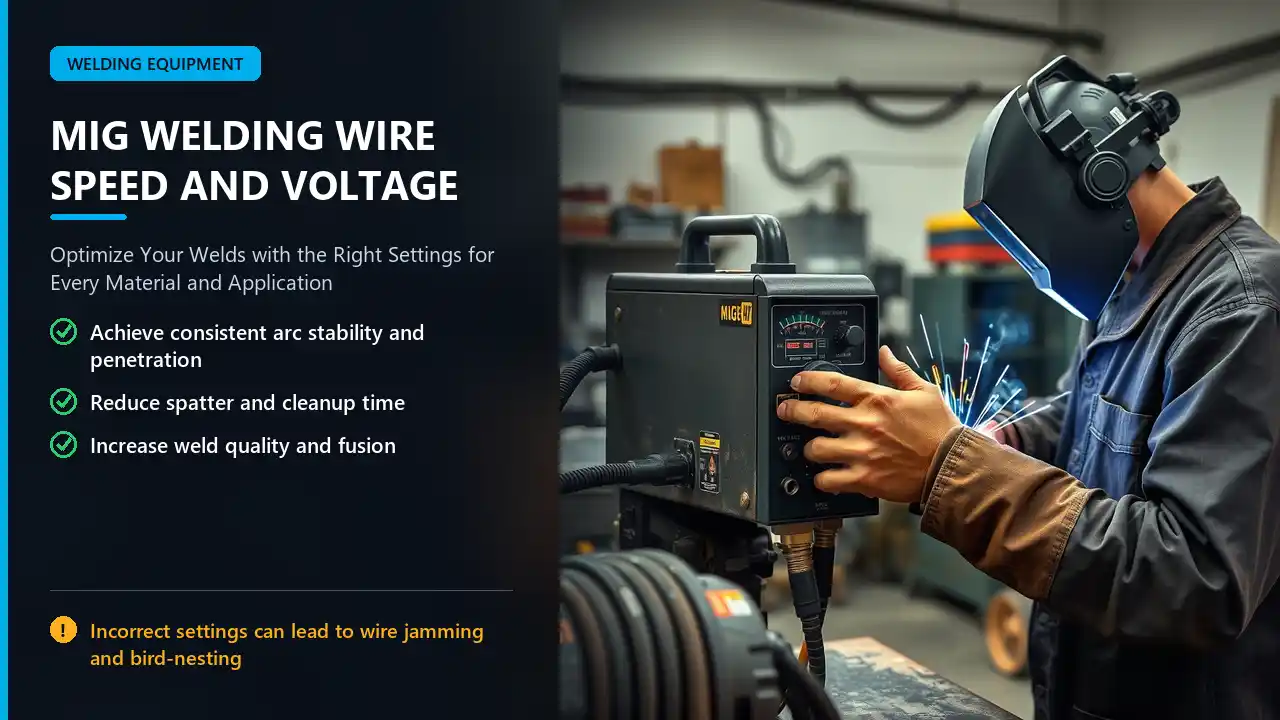
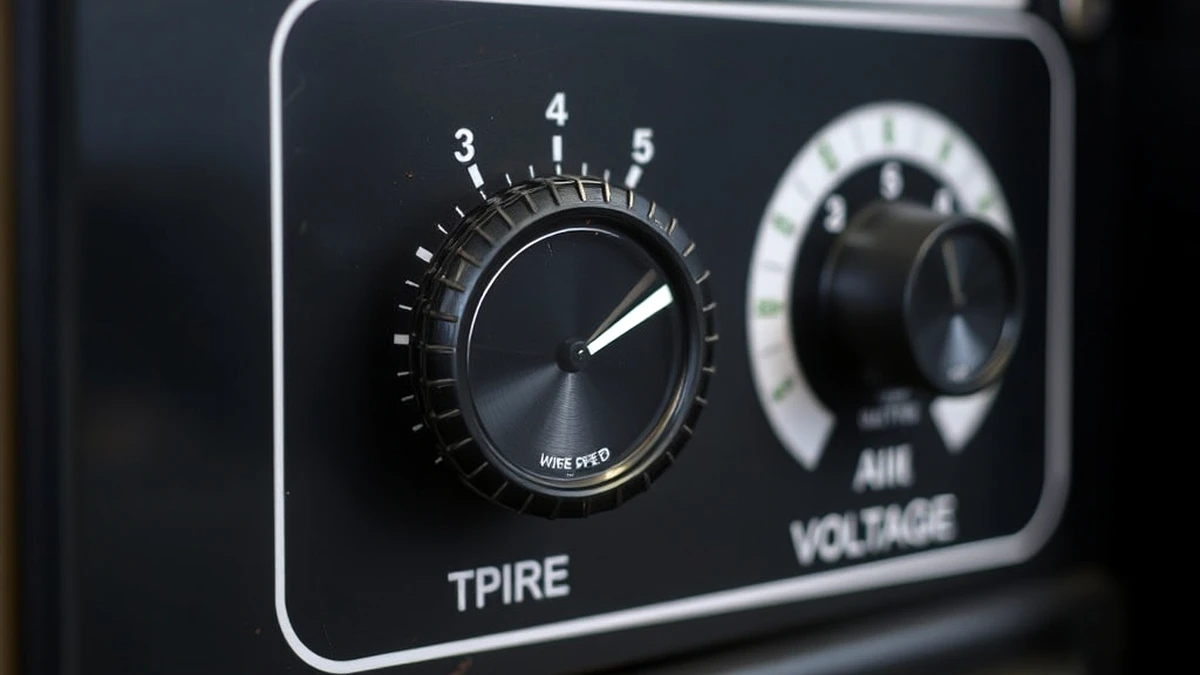
Two knobs, two distinct jobs — and a third, hidden variable that appears when they interact. Get the mental model right and most settings questions answer themselves.
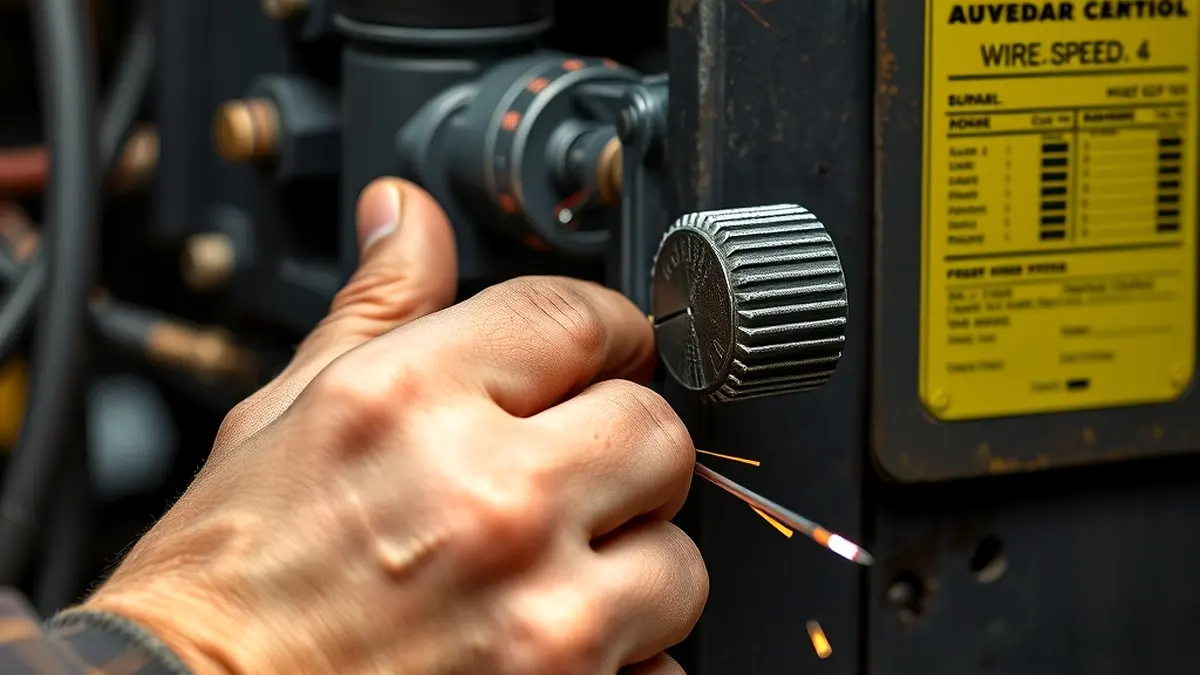
Wire feed speed does two things at once, and missing the second one is the root of most beginner confusion. First and obviously, it determines how much filler metal is delivered per second — a faster feed puts more steel into the puddle, which widens and builds the bead. Second and less obviously, wire feed speed is how a MIG welder controls amperage. The wire is the electrode. The arc melts the tip of the wire at a rate fixed by physics: for a given wire diameter and material, the current required to melt it at a given speed is essentially constant. Push more wire in, and the arc must draw more current to consume it. That is why MIG machines are called constant-voltage sources — the machine holds voltage steady and lets amperage float wherever the wire feed demands.
Practical consequence: turning up the wire feed on your machine is roughly equivalent to turning up the heat on a stick welder. Feed speed is your amperage control. This also explains a classic beginner puzzle — why cranking the voltage alone on a low feed setting produces a wild, long arc that stubs and pops instead of a hot, confident weld. Voltage without sufficient wire to sustain it just stretches an unstable arc.
| Wire Diameter | Typical Thickness It Serves | Relative Amperage at Same IPM |
|---|---|---|
| 0.023 in (0.6 mm) | Sheet metal, 22 ga to 1/8 in | Lowest — melts at lower current |
| 0.030 in (0.8 mm) | The do-everything size: 18 ga to 3/16 in | Moderate |
| 0.035 in (0.9 mm) | 1/8 in to 1/2 in, structural | Higher — same IPM gives more amps |
| 0.045 in (1.2 mm) | 3/8 in and heavier, high-deposition | Highest |
Pro Tip: Never compare IPM numbers between different wire diameters. 200 IPM of 0.023 wire and 200 IPM of 0.045 wire are completely different amounts of metal and completely different amperages. When someone quotes a feed number without the wire size, the number is meaningless. If you are still deciding what to keep on the spool, our wire size chart walks through diameter selection job by job.

Voltage controls the electrical characteristics of the arc itself: how long it runs from contact tip to work, how much total heat it puts into the plate, and how fluid and wet the puddle behaves. Turn voltage up and the arc gets longer and hotter, the puddle spreads and flows smoothly into the joint edges, and the bead comes out wider with a flatter profile. Turn it down and the arc shortens, the puddle stiffens, and the bead stands up tall and narrow.
The tell is always in the bead shape. Too-low voltage gives a tall, ropey, narrow bead with heavy spatter and a distinct cold shoulder at the toes — the exact symptom Marcus’s trailer had, because the puddle never got hot enough to wet into the base metal. Too-high voltage gives a bead that is wide, flat, and shallow, with a rippled edge, possible undercut along the top toe, and — on thin material — holes burned straight through. Voltage also sets your transfer mode: short-circuit transfer (the familiar crackling buzz) lives in roughly the 16 to 22 volt range on steel with common wires, while spray transfer needs about 24 volts and above.
Every adjustment ripples. Raise the wire speed and you have increased both the metal delivery and the amperage, so you usually need a matching voltage bump to keep the puddle fluid enough to consume it. Raise the voltage without raising the feed and you stretch the arc thinner, which destabilizes it. The two dials travel together — which is exactly why machines with an “Auto-Set” feature, and why the charts on machine doors, always present them as matched pairs rather than independent ranges.
Short Note: A third control confuses this picture on many machines: inductance. Inductance does not change voltage or feed; it changes how quickly current rises each time the wire shorts to the plate — that is, how “soft” or “crisp” the arc feels. More inductance makes a gentler, wetter arc with less spatter at the same settings; less inductance makes a sharper, more aggressive arc. If your voltage and feed are matched and the arc still feels wrong, inductance is the next knob.
The wire-speed-and-voltage pair is the single biggest determinant of what your finished weld looks like, how strong it is, and how much cleanup it needs. It is worth being specific about what “right” buys you.
When feed and voltage agree, the arc is quiet and continuous — a steady frying-bacon hiss in short-circuit mode, a smooth hum in spray. The transfer is regular, the puddle is calm, and the bead lays down with even ripples. When they disagree, you hear it before you see it: irregular popping, the sound of the wire stubbing into the plate, or the erratic snapping of an arc that is too long for the metal feeding it. A stable arc is not cosmetic; it is the mechanism that produces consistent fusion pass after pass.
Excessive spatter is almost always a settings story. The classic recipe is high feed against low voltage: the wire is slamming into a puddle that is not hot enough to accept it, and each short-circuit event ejects molten droplets sideways. Dial the pair into balance and spatter drops to a light mist of tiny beads that brush off. Shops that track grinding time usually find that a settings correction removes most of the cleanup line item before any technique change does. Related reading: reducing spatter covers the same logic for flux-core wires, where slag behavior adds another wrinkle.
Penetration follows amperage — which means it follows wire speed — while bead shape and wetting follow voltage. A weld with plenty of amps but too little voltage piles metal on top without biting in (lack of fusion at the toes). A weld with generous voltage but too little feed runs hot and shallow, wandering across the surface without depth. You need both: current to melt the plate, voltage to keep the puddle fluid enough to let that melting happen below the surface rather than crust over it. Structural codes exist precisely because this matters — AWS publishes the qualification standards behind most inspection criteria at aws.org, and workplace practice around machine setup falls under OSHA’s welding standards, including 29 CFR 1910.252.
Quick Note: A fast diagnostic for “which knob is wrong”: look at bead height versus bead width. Tall and narrow means not enough voltage for the feed. Wide and flat means too much voltage for the feed. Correct both ends of the pair, not just the one you suspect.
Before reaching for any general chart — including the ones in this article — look at your own machine. The manufacturer has already run the tests for its specific output characteristics.
Nearly every MIG welder sold since the 1990s has a settings chart on the inside of the wire compartment door, or in the manual for machines with digital screens. These charts are not generic; they are matched to that machine’s voltage resolution, wire diameters it feeds reliably, and the gas it ships with. They list material thickness down one side and wire size across the top, with a recommended pair of settings in each cell — sometimes expressed as voltage plus IPM, sometimes as a numbered dial position like “set voltage dial to 4 and feed to 60.”
Use the door chart as your launch pad even when you have run the material a hundred times; it costs nothing to glance at and it resets your baseline when the previous job left the dials somewhere unusual. If the machine came with an Auto-Set-style feature — where you enter wire diameter and material thickness and it picks the pair — take it seriously too. These systems work by mapping the same tested data, just automatically, and they take half the guesswork out of unfamiliar material.
The second authority is the wire spool’s label and the manufacturer’s published chart. Wire producers test their alloys with specific transfer behaviors in mind — a silicon-deoxidized ER70S-6 wire runs wetter and more forgiving than an ER70S-3, for example, and the recommended settings shift accordingly. Reputable manufacturers publish these ranges: Lincoln Electric and Miller Electric both publish extensive parameter charts covering wire type, diameter, gas, and thickness. Cross-checking the spool label against the machine chart takes thirty seconds and often explains a discrepancy you would otherwise chase for an hour.
If the weld is going under a code — structural steel, pressure piping, certified fabrication — the welder does not choose settings at all. The welding procedure specification (WPS) defines the qualified range of amperage, voltage, travel speed, and gas, and the operator stays inside it. That is the third and final authority, and it outranks everything else on this list. Everyone else — hobbyists, repair shops, farm work, one-off fabrication — synthesizes the first two sources and then verifies with test welds.
Important: A chart gives you a starting point, never a finished answer. Travel speed, stickout, joint fit-up, material temperature, and even the extension of your ground clamp all shift the real parameters. The chart gets you close; the test bead closes the gap.
Thickness is the primary index of every settings chart, because it is a proxy for how much heat the joint needs and how much filler the joint holds. The pattern is monotonic and steep: move up a thickness and both numbers rise, sometimes sharply.
| Metal Thickness | Wire Speed (IPM) | Voltage (V) | Notes |
|---|---|---|---|
| 22 ga (0.030 in) | 100–150 | 15–17 | Use 0.023 wire; short bursts to avoid burn-through |
| 18 ga (0.048 in) | 140–180 | 16–18 | 0.023 or 0.030 wire; watch heat buildup on short seams |
| 1/8 in | 180–220 | 18–20 | The most common fabrication setting; 0.030 wire |
| 3/16 in | 210–250 | 19–21 | Still short-circuit; clean fit-up matters more now |
| 1/4 in | 250–300 | 22–25 | Top of short-circuit range or low-end spray |
| 3/8 in | 300–380 | 26–29 | Usually spray transfer with 75/25 gas |
| 1/2 in and heavier | 350–450+ | 28–32 | Spray or pulse; multi-pass with weave or stringers |
Ranges assume mild steel, flat position, 0.030 to 0.035 inch wire, 75/25 argon/CO2. Your machine’s door chart overrides these.
Two cautions come with that table. First, the low end of the thin-sheet ranges is where you should start, not the high end — sheet metal remembers every second of excess heat, and it is easier to add a second short pass than to fix a blown hole. Second, the step from 1/4 to 3/8 inch is not just a settings jump; it is usually a transfer mode jump, from short-circuit to spray, which changes the sound, the puddle behavior, and the recommended technique. The same applies going down: what works at 1/8 will freeze solid on 22 gauge before you can move the gun.
Quick Note: Thickness is measured at the joint, and fit-up changes the effective thickness. A lap of two 1/4-inch plates does not weld like a single 1/2-inch plate: the puddle bridges two edges, heat sinks into two directions, and the settings usually sit somewhere between the two chart entries. When fit-up gaps are wide, drop the feed slightly and let voltage hold the bridge together.
Two plates of identical thickness can demand completely different settings because of what they are made of. Conductivity, melting point, oxide behavior, and the wire’s own chemistry all shift the pair.
Mild steel is the reference material for every chart in this article and the easiest to dial in. It tolerates a wide band of settings, welds cleanly in short-circuit transfer up to about 1/4 inch, and moves into spray transfer above roughly 200 amps when the gas is argon-rich. With 75/25 gas and 0.030 or 0.035 wire, the ranges in the thickness table above apply directly. Watch for one mild-steel quirk: mill scale and mill oil change the picture more than the alloy does. A greasy, scaled plate welds unpredictably no matter how perfect the dials are, so clean the joint before blaming the settings.
Stainless conducts heat less readily than carbon steel but holds heat longer in the puddle zone, which means it needs less of everything: slightly lower wire speed at a given thickness and a touch less voltage than the equivalent steel setting, to keep the puddle from staying liquid too long and sinking through. Stainless also runs best with a smaller, more concentrated arc, so many welders drop a wire size on stainless sheet. Because heat tint on stainless is a corrosion issue and not just a cosmetic one, settings discipline matters more here — a bead that would be perfectly acceptable on steel can leave heat-affected-zone discoloration that fails a food-grade or architectural spec. Our piece on MIG welding stainless steel covers the gas and technique side alongside the parameters.
Aluminum is the outlier. Its high thermal conductivity sucks heat away from the puddle fast, and its oxide layer melts around 3,700 degrees while the base metal melts near 1,220 — so the settings must be aggressive enough to clear oxide and preheat the mass ahead of the puddle. Practically, that means wire speed roughly 20 to 30 percent higher than steel of the same thickness, voltage near the top of the range for the setting, a gun set to push angle, and usually spray transfer even on moderate thickness. Aluminum also exposes a variable that steel hides: stickout. Because aluminum wire is soft, the liner and contact tip must be clean and correctly sized or the feed speed you dial in never reaches the arc. Check the parameters for your machine and process in MIG welding aluminum before assuming the steel chart transfers over — it does not.
Zinc coatings boil off around 780 degrees Fahrenheit, right in the middle of the arc’s heat range, and the resulting gas disturbs the puddle and adds fumes. Settings-wise, the standard approach is to run the normal steel pair for the thickness, add a small amount of voltage to keep the arc confident through the outgassing, accept some extra spatter, and provide ventilation — zinc oxide fume is a genuine exposure concern that CDC/NIOSH and our own welding fumes guide both flag. Do not chase the porosity that galvanized material sometimes produces by cranking the feed; fix the joint prep instead.
Pro Tip: When a job mixes materials — brackets welded to a tube, a stainless patch on a steel frame — set for the material that is harder to weld, then adjust travel speed to keep the easier side from getting away from you. Moving the gun faster over the conductive side is almost always safer than compromising the settings for both.
Gravity works against a welder in every position except flat, and the settings have to compensate. The rule of thumb: as you move out of flat, reduce both wire speed and voltage — usually 10 to 15 percent per position step — because the puddle needs to freeze faster than gravity can pull it out of the joint.
| Position | Settings Adjustment | Why | Technique Note |
|---|---|---|---|
| Flat (1F/1G) | Chart values as published | Gravity helps the puddle settle into the joint | Push or pull both work; fastest travel speed |
| Horizontal (2F) | As chart or slightly reduced | Puddle wants to sag off the lower plate edge | Split the difference with gun angle; slight upward bias |
| Vertical-up (3F) | Reduce feed and voltage about 10–15% | Deposited metal must solidify beneath the arc before more lands on it | Small weave or steady stringer; travel speed slow and constant |
| Overhead (4F) | Reduce 15–25% from flat values | Puddle hangs from the joint by surface tension alone | Shorter beads; smaller wire diameter helps; clean stickout |
Vertical-up deserves particular attention because it is the position where settings errors are least forgiving. The whole technique is built on letting the previous ripple solidify enough to support the next one; if the feed and voltage are set at flat-position values, the puddle arrives faster than it can freeze, and the weld sag, drips, or collapses into a lump with no root fusion. Drop the pair, keep the arc directed into the leading edge of the puddle, and the weld stacks in clean, evenly spaced ripples. The general mechanics of climbing a joint are covered in our vertical welding techniques guide.
Short Note: Position changes are applied as a percentage of your flat baseline, not as absolute numbers borrowed from someone else’s chart. If flat runs at 250 IPM and 22 volts, vertical-up starts near 215 IPM and 19 volts. Establish the flat baseline first, every time.
Same thickness, same material, same position — different joint, different settings. The geometry of the joint changes how heat sinks away from the puddle and how much filler metal the gap will hold.
| Joint | Wire Speed | Voltage | Reasoning |
|---|---|---|---|
| Butt joint, tight fit-up | Medium | Medium to high | Open root needs fluid metal to wash both edges; gap invites burn-through if feed is high |
| Butt joint with gap | Medium | Medium | Slow travel, bridge the gap; voltage high enough to wet both sides |
| Fillet (T-joint) | High | Medium | Two plates sink heat; more filler fills the corner while medium heat controls the throat |
| Lap joint | Medium to high | Medium | Focus the arc on the lower plate edge; too much voltage burns through the top edge |
| Outside corner | Medium | Medium to low | Edges melt fast — restrain the heat to avoid melting the corner away |
| Root pass, open root pipe | Low to medium | Medium | Penetration is the entire point; keep the puddle small and controlled |
The fillet-weld row is worth pausing on, because T-joints are where most structural MIG work happens and where beginners most often under-feed. Two plates meeting at a right angle create a heat sink in both directions, and the corner geometry traps the arc. The instinct — back off the heat because the joint looks substantial — produces the opposite of what you want: a bead that never fuses into the root. Keep the feed up, hold the voltage moderate, and let the puddle wet both faces.
Quick Note: Fit-up quality can move your settings more than any chart variable. A root gap you can slide a business card through is a normal, weldable condition with the right pair; a gap you can slide a pencil through wants a change of process — weave technique, a tack bridging the gap, or a heavier wire — not a heroic twist of the feed dial.
Settings charts quietly assume a transfer mode. Knowing which mode you are in explains why the voltage ranges jump the way they do as thickness increases.
The default for sheet and light fabrication. The wire physically touches the plate, shorts, melts off, and re-creates the arc dozens of times per second — that crackling sizzle you hear. It runs at roughly 16 to 22 volts with moderate feed, deposits modest heat into the part, and is the only mode that safely welds thin material without blowing through. Its limitation is speed and penetration: on anything above 1/4 inch it becomes slow and shallow relative to its alternatives.
Between short-circuit and spray sits globular transfer, where droplets larger than the wire diameter cross the arc irregularly. It appears naturally around 20 to 25 volts on steel with CO2-rich gas. Most welders treat it as a zone to pass through rather than a destination — it is spattery and inconsistent — but it is worth recognizing because if your machine wanders into it, the spatter you are seeing is a mode problem, not a settings mistake.
Above about 24 volts and 180 amps with an argon-rich gas (75 percent argon or higher), the wire stops touching the plate at all. Fine molten droplets stream across the arc continuously — a smooth hiss instead of a crackle — and the result is deep penetration, high deposition, minimal spatter, and a fluid puddle that washes beautifully into joints. This is the structural-steel workhorse for 1/4-inch-and-up flat welds. The cost of entry: it is too hot for thin material, it produces an open, fluid puddle that will drip if you try it out of position, and it requires argon-blend gas — pure CO2 will not sustain it.
Pulsed MIG alternates a high peak current — enough to detach one droplet — with a low background current that lets the puddle cool between pulses. The effect is spray-like penetration with short-circuit-like heat input, which is why pulse programs let you weld thin material and out-of-position work in spray mode. Parameter-wise, pulse machines control the profile electronically; your job is to feed the correct wire, gas, and material thickness into the program and then trim travel speed. More on this in the advanced section below.
| Mode | Typical Voltage (Steel) | Gas Requirement | Best Use |
|---|---|---|---|
| Short circuit | 16–22 V | C25 or CO2 | Sheet, general fabrication, out-of-position |
| Globular | 20–25 V | CO2-rich | Pass-through zone; rarely selected deliberately |
| Spray | 24–32 V | 75%+ argon | 1/4 in and heavier, flat and horizontal |
| Pulse | Program-controlled | Argon-rich | Thin material, out-of-position, aluminum, code work |
Important: You cannot force spray transfer by turning the voltage dial up on a machine that is not delivering enough amperage, and you should not attempt it on thin plate at all. If the bead is sputtering between crackle and hum in the low 20s-volt range, you are in globular — either raise feed and voltage together into spray on thick material, or drop back into clean short-circuit.
Faced with a machine you have never used, a new wire, or a material outside your experience, run this sequence. It is the same procedure a welding instructor would have you follow on day one.
Pro Tip: Adjust travel speed before you abandon a settings pair. A setting that looks too cold at hand speed often looks perfect at 25 percent faster travel, and vice versa. Travel speed is the third, unmarked dial on every MIG welder.
Every chart in this category — on a machine door, in a manual, or in a reference article — is built from the same three columns. Once you can read one, you can read them all, including the ones printed in a language you do not speak.
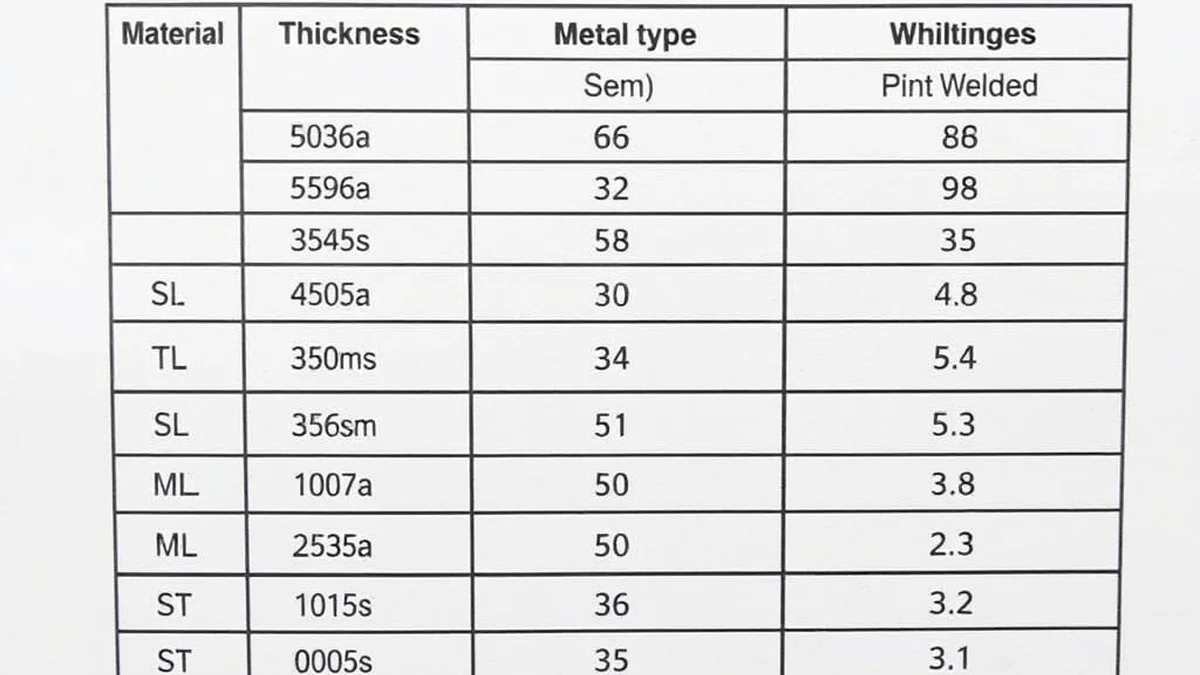
Material thickness is the index: gauge numbers for sheet, fractions of an inch for plate, sometimes millimeters. Gauge numbering is counterintuitive — the higher the gauge, the thinner the metal — with 22 gauge measuring about 0.030 inches and 16 gauge about 0.062 inches. Wire speed is expressed in inches per minute of wire feed; where a chart shows a machine-specific scale instead, it is meaningless off that machine. Voltage is given as a range in volts; on older transformer machines the dial is marked in arbitrary numbers that only correspond to volts through a table in the manual. Some charts add a fourth column for recommended amperage or a note naming the transfer mode — useful, because it tells you what the arc is supposed to sound like when the settings are right.
The table below is a consolidated starting-point chart for mild steel in flat position with 0.030 to 0.035-inch wire and 75/25 argon/CO2 — the most common configuration in home shops and fabrication businesses alike:
| Material Thickness | Wire Speed (IPM) | Voltage (V) | Expected Transfer |
|---|---|---|---|
| 22 gauge (0.030 in) | 100–140 | 15–17 | Short circuit |
| 20 gauge (0.036 in) | 120–160 | 16–18 | Short circuit |
| 16 gauge (0.062 in) | 160–200 | 17–19 | Short circuit |
| 1/8 in (0.125 in) | 180–220 | 18–20 | Short circuit |
| 3/16 in (0.187 in) | 210–250 | 19–21 | Short circuit |
| 1/4 in (0.250 in) | 250–300 | 22–25 | Short circuit to spray |
| 3/8 in (0.375 in) | 300–380 | 26–29 | Spray |
| 1/2 in (0.500 in) | 350–450 | 28–32 | Spray or pulse |
Notice the two discontinuities in the sequence: the voltage jump between 3/16 and 1/4 inch, and the bigger jump between 1/4 and 3/8. Those are not measurement noise — they are the short-circuit-to-spray transition showing up in the numbers. Charts that hide the transfer mode produce the most confusion, because a beginner reading “250 IPM, 24 volts” and getting a wild, spattery arc assumes the chart is wrong rather than the mode.
Charts for stainless and aluminum follow the same structure but sit at different values. Stainless runs a step below carbon steel of equal thickness — for 16-gauge stainless with 0.030 wire, expect roughly 130 to 170 IPM at 16 to 18 volts, roughly 10 to 15 percent under the steel figure, because heat lingers longer in the puddle. Aluminum runs a step above: 1/8-inch aluminum with 0.030 or 0.035 wire often wants 200 to 260 IPM at 21 to 24 volts, because conductivity pulls heat away faster than steel does and the puddle needs more energy to stay fluid. Flux-cored wire charts look different again — they are usually indexed by amperage rather than voltage because the slag-forming arc behaves less predictably — and separate flux-core references exist for that reason, including our flux-core amperage chart and dedicated flux-core settings guidance.
Quick Note: If you find three different charts giving three different numbers for the same thickness, you are looking at three different machines, gases, or wire types — not three versions of the truth. Charts are valid only for the configuration they were written for. The machine door chart wins over any published table, always.
Owning the right number and getting consistent results from it are different skills. These habits separate the two.
Set both dials to the chart cell for your material, then verify rather than assume. A quick visual: the arc should sound like steady frying bacon in short-circuit mode — regular, fine, continuous. Irregular popping means the pair is out of balance. After the arc check, run the bead and inspect it before touching the workpiece. The baseline is confirmed only when both the sound and the profile are right.
Move one dial, one increment, one bead at a time. On a machine with numbered dials, one number is roughly 1 to 1.5 volts or 10 to 15 percent of the feed range — a meaningful step, not a hairline. Big simultaneous changes are how welders end up lost between settings with no idea which move caused which effect. Between beads, name what you saw out loud — “too tall, spattery toes” or “washed flat, undercut on the top edge” — because the vocabulary forces the diagnosis instead of skipping to the next random twist of the knob.
A notebook beats memory. Log the winning pair for each recurring combination — “3/16 T-joint, vertical-up, 0.035, C25: 205 IPM, 18.5 V” — and within a season you will have a personal chart calibrated to your machine, your travel speed, and your shop conditions. Nobody else’s numbers fit you as precisely as your own, because travel speed and stickout are personal variables no chart can see.
Quick Note: Re-baseline whenever anything in the setup changes: new spool, new bottle, new contact tip size, a liner that just got replaced, or a different machine on the same cart. Settings drift with hardware, and a pair that was perfect twenty minutes ago can be wrong after a consumable swap.
Once the baseline pair is proven, project-specific refinement is what takes a weld from acceptable to excellent — and saves whole categories of rework.
Auto restoration, ductwork, and enclosure fabrication all share the same enemy: heat accumulation. On 22 to 18 gauge, start at the low end of the chart with 0.023 wire, keep voltage just high enough for a wet puddle, and manage heat with technique — short stitches with cooling pauses, welding alternate seams rather than running one continuous bead along a closed box. If a corner is blowing through at chart settings, drop the feed a notch first and shorten the trigger pull; do not starve the whole weld to save one inch of edge. Thin-material technique fundamentals live in our thin metal welding tips.
Above about 1/2 inch, no single pass fills the joint. Set the machine for spray transfer at the chart values for the thickness and then run stringer beads — narrow, unweaved passes placed side by side — rather than one wide weave that traps slag-like oxide and loses penetration in the center. Each pass preheats the next, so the interpass temperature climbs; pause between passes to keep it in the range the material expects. On very heavy plate, drop a wire size and let several clean stringers outperform one heroic pass.
Vertical and overhead runs benefit from trading deposition for control: drop the pair 10 to 25 percent from flat values, switch to a slightly smaller wire diameter if available, and shorten the electrode stickout so the arc stays tight and directed. The reduced settings also reduce the gravitational pull on the puddle, which is the entire physics of the problem. For flux-core variations of the same challenge — including the vertical-up and horizontal preset tables — see our vertical-up flux-core settings.
When a machine runs the gun instead of a hand, the settings window narrows dramatically because travel speed and stickout become perfectly repeatable. Manual welders tolerate sloppy settings with compensating technique; automation cannot. Automated setups are tuned with the same chart methodology, then locked in — which is partly why shops that automate report dramatic reductions in spatter-related cleanup and consumable waste once the parameters are frozen at their optimum.
Pro Tip: Before committing to a settings pair on a real assembly, tack it together and weld the actual joint, not just a flat coupon. Real assemblies pull heat differently than loose scrap — a bracket tacked to a heavy frame is a very different thermal load than the same bracket lying free on the bench.
Abstract ranges become useful when you see them applied to real jobs. Four short stories cover most of what a working welder encounters.
Marcus’s trailer from the opening of this article is the textbook case. His machine was feeding 0.035 wire at 260 IPM with the voltage dial on 17 — a pair intended for roughly 16-gauge material, applied to 3/16-inch plate. The diagnostic signs were textbook: tall narrow beads, heavy spatter, visible cold lines at the toes, and a cut section showing almost no penetration. Moving to 225 IPM and 20 volts — the door-chart cell for his thickness — transformed the same joint on the same afternoon. The re-tested coupons passed the bend test that had failed. The lesson he took away: the settings were never close enough for technique to compensate, and no amount of hand skill fixes a pair that is wrong by 30 percent.
An auto restorer joining 20-gauge patch panels to an old cab corner kept burning holes at the edges no matter how carefully she feathered the trigger. Her original pair: 175 IPM at 19 volts — a solid 1/8-inch setting. Dropping to 135 IPM and 16.5 volts with 0.023 wire let her run longer stitches without preheating the panel to the melting point, and the patch went in with a straight, even bead and minimal distortion. The fix took four minutes of dial time and saved the panel.
A structural crew welding 3/8-inch gussets overhead found their flat-position spray settings running and dripping within seconds of arc start. The puddle was simply too fluid to hang. Switching back to short-circuit transfer and dropping the pair to about 260 IPM at 21 volts let the weld freeze between deposits; the beads came out controlled, uniform, and drip-free. The physical logic is simple: overhead is a freeze-rate problem, and both feed and voltage set the freeze rate.
A equipment repair shop welding half-inch base plates was running 350 IPM at 30 volts in spray mode and getting good beads — but burning through contact tips every few hours from the heat and spatter of a setting that was really a 3/8-inch pair stretched to cover half-inch work. Stepping to 0.045 wire, 400 IPM, and 31 volts deposited the same metal with fewer amps at the tip, and tip life tripled. Bigger wire at higher feed is the standard answer when deposition rises: the same amps carried by more, faster-moving metal means less resistive heating at the contact point.
| Situation | Initial Pair | Corrected Pair | Outcome |
|---|---|---|---|
| 3/16 in fillets, heavy spatter, cold toes | 260 IPM / 17 V | 225 IPM / 20 V | Spatter gone, fusion restored, bend tests passed |
| 20-ga patch panels, edge blow-through | 175 IPM / 19 V | 135 IPM / 16.5 V | Clean stitches, no holes, less distortion |
| Overhead gussets, dripping puddle | Spray, 300 IPM / 27 V | Short circuit, 260 IPM / 21 V | Controlled freeze, uniform overhead beads |
| 1/4 in production line, porosity after restart | 280 IPM / 24 V, 1 in stickout | 270 IPM / 23 V, 1/2 in stickout | Consistent penetration through shift; restarts sound |
Quick Note: Notice that every correction in that table involved moving both dials or a hidden variable like stickout. Isolated single-knob corrections exist — trimming voltage to fix undercut, for example — but the big wins come from re-balancing the pair.
Most MIG welding lives in short-circuit and spray transfer. Two advanced processes extend the same wire-speed-and-voltage logic into territory those modes handle poorly, and both appear on increasingly common shop machines.
In pulsed transfer the machine swings the arc between two current levels many times per second: a peak current high enough to detach exactly one droplet of wire, and a background current low enough that the puddle partially solidifies before the next pulse arrives. The result is one droplet per pulse, on schedule, with spray-transfer penetration at roughly half the total heat input of conventional spray.
The parameters split accordingly. Wire speed still sets deposition and average amperage — you feed the wire at the rate the job needs and the machine modulates around it. Voltage is largely governed by the pulse program, which holds arc length at the ideal value for the selected wire and gas; on most pulse machines you trim within a narrow band rather than dialing freely. What the operator actually controls is the program itself: wire diameter, material type, thickness, and sometimes travel-speed compensation. Getting a pulse program right looks like this: select the program for your wire and thickness, verify the arc sound is a crisp, regular “pop-pop-pop” rather than a stutter, run a coupon, and adjust deposition — not arc length — if the bead sits too high or too flat.
Pulse earns its keep in three situations: thin material that would burn through in spray, out-of-position welds that need spray-like fusion with freeze control, and aluminum, where the controlled droplet transfer produces the clean, spatter-free beads that fabricators of visible work require. The heat-input advantage also reduces distortion on assemblies with long weld sequences — a real difference on sheet assemblies where a few inches of accumulated shrinkage will pull the whole frame out of square.
Short Note: Pulse settings are not portable between manufacturers. A program labeled “0.035 steel, 1/8 inch” on one machine will not match another brand’s equivalent, because the pulse waveform, peak-to-background ratio, and frequency are proprietary. Learn your machine’s program library rather than borrowing numbers from a forum.
Dual-shield (gas-shielded flux-cored) wire is a tubular wire with flux inside it, welded with external shielding gas. It combines the deposition rate and out-of-position capability of flux-cored wire with the cleaner arc and better toughness of gas shielding, and it runs at substantially higher currents than solid wire — which means the settings table shifts upward.
| Factor | Role in Dual-Shield Welding |
|---|---|
| Voltage | Sets arc length, penetration profile, and spatter; dual-shield is more voltage-sensitive than solid wire because the slag chemistry reacts to arc length |
| Wire speed | Controls deposition rate and amperage; typically 25–50% higher than solid wire at the same thickness |
| Gas flow | Higher than solid-wire MIG — commonly 35–45 CFH — because the tubular wire releases gas-generating compounds that must be overwhelmed |
| Transfer mode | Usually globular-to-spray at moderate currents; the arc sounds softer and more muffled than solid wire |
| Polarity | Reverse polarity ( electrode positive ) for most formulations; check the label — some run DC electrode negative |
Because dual-shield lays a slag cover, it tolerates outdoor wind better than solid-wire MIG and handles heavy, out-of-position structural work with an ease that surprises welders raised on short-circuit wire. If you are moving from solid wire into dual-shield, do not carry your solid-wire settings across: start from the wire manufacturer’s chart, expect higher deposition, and prepare for slag removal as part of the pass. Process comparisons are covered in dual-shield welding and in the broader flux-core versus MIG comparison.
It is worth remembering that every welding process manages the same three physical levers — heat, filler, and travel — through different equipment. Stick welding charts are indexed by electrode diameter and amperage (see the stick electrode chart for the comparison), TIG charts pair amperage with material thickness, and MIG is unusual in splitting its amperage control and arc-energy control across two separate dials. Understanding why MIG works that way — the wire-as-electrode physics described at the start of this article — is what makes its charts intuitive rather than arbitrary. The same relationship is discussed from the machine-settings angle in our MIG gas settings guide, because gas choice and transfer mode are inseparable from the parameter pair.
Incorrect wire speed and voltage do not fail mysteriously. Each error mode leaves a specific, readable signature on the bead and, more importantly, inside the joint.
| Setting Error | Visible Signature | What Happens Inside the Joint | Corrective Move |
|---|---|---|---|
| Wire speed too high for voltage | Tall, narrow, ropey bead; heavy spatter; rough surface | Cold lap — filler frozen on top of un-melted base metal; sharply reduced load capacity | Lower feed and/or raise voltage until the puddle wets the toes |
| Voltage too high for wire speed | Wide, flat, shallow bead; possible undercut along edges; arc sounds harsh | Surface wetting without depth; hot short welds that look generous but lack root fusion | Raise feed to match, or reduce voltage |
| Both too high for the thickness | Blow-through, sagging or drooping puddle, burn holes at edges | Thinned base metal beside the weld; heat-affected zone over-tempered | Step down to chart values for the actual thickness |
| Both too low for the thickness | Bead sits proud and dull; spatter; intermittent popping sound | Incomplete penetration through the joint; interior cold line on cut section | Step up the pair; verify transfer mode is right for the thickness |
| Feed too high (any voltage) | Wire stubbing, machine laboring, occasional bird-nesting at the feeder | Unpredictable fusion; jammed wire; damaged liner and tip | Reduce feed; clear the nest; inspect liner before resuming |
| Wrong mode for the thickness (spray on sheet) | Instant holes, excessive fluidity, smoke | Destroyed edge; scrapped part | Return to short-circuit or pulse |
| Porosity with good-looking settings | Pinholes, dull weld surface | Often gas, contamination, or restart technique — check shielding before touching dials | Verify gas flow and cleanliness; see porosity in welding |
The undercut and cold-lap rows are the ones that pass visual inspection most dangerously. A wide, flat bead with slight undercut looks professional to an untrained eye while carrying a stress riser along its edge; a tall ropey bead with no visible porosity can be little more than a heavy bead of filler draped over the base metal. This is why structural shops cut and etch or bend-test the first weld of the day rather than eyeballing it — the interior of the joint is the only place the truth reliably shows up.
Quick Note: Sound is a free, continuous diagnostic. In short-circuit mode, a correct pair sounds like fine, even frying — dozens of tiny shorts per second at a steady rhythm. A slow, heavy “blat-blat-blat” means voltage is too low for the feed. A hissing, wandering arc that occasionally snaps means voltage is too high. Welders who learn to listen correct settings before the bead is even finished.
Settings mistakes are usually discussed as quality problems. They are also safety problems, in three specific ways worth taking seriously.
The most common settings-related mechanical incident is a bird’s nest: feed speed set far higher than the wire can melt off, causing wire to pile up in a tangle inside the drive-roll compartment when the tip or liner restricts flow. Clearing one requires reaching into the feed mechanism with the power locked out — a step many people skip in frustration. High feed against a stubbing tip can also kick the gun in the hand or snap wire that whips toward the face. Lock the machine out, cut the tangled wire free with side cutters, and find out why it jammed — a worn liner, a tip one size too small for the wire, or the settings — before reloading.
Wrong settings throw more molten metal, and thrown metal starts fires and burns skin. Excessive spatter from an unbalanced pair lands on gloves, collars, workbenches, and — if the shop is messy — paper, rags, and solvent residue. The control hierarchy is the same as any other fire question: fix the source (settings), clear the area (no flammables near the weld zone), and protect the operator (leathers and helmet). Workplace fire prevention expectations are part of OSHA’s welding guidance at OSHA welding and cutting, and every shop should have an extinguisher within arm’s reach of the bench as part of a written NFPA-aligned hot-work practice. Personal protection — helmet shade, gloves, jacket — is assumed in every scenario in this article; our welding safety tips and MIG glove guide cover the selection details.
The gravest consequence of wrong settings is a weld that looks acceptable and is not. Cold-lap and lack-of-fusion defects from an under-volted, over-fed pair produce joints that hold until they are loaded in service — a trailer tongue, a handrail bracket, a machine guard — and then fail without warning. Nothing about the finished bead announces the problem from the outside, which is why serious fabrication does not rely on appearance: it uses test plates, periodic cut-ups, and documented settings. Welders working under code have an additional obligation — welding outside the ranges of the qualified procedure is itself a reportable nonconformance, regardless of how the weld looks.
Important: Settings are part of the machine’s safe operating envelope. A welder running spray-transfer voltage on a machine rated for lighter duty, feeding a wire the drive rolls cannot grip, or overriding thermal protection by ignoring the duty cycle is creating a hazard that has nothing to do with the weld in front of them. Respect the nameplate limits.
Wire speed is the rate at which the welder feeds electrode wire through the gun into the weld puddle, measured in inches per minute (IPM). It controls two things at once: how much filler metal enters the joint, and — because the wire is the electrode — how many amps the arc draws. Higher feed equals more deposition and more current. It varies with material thickness, type, position, and joint, which is why every settings chart pairs a wire speed figure with a voltage figure rather than listing one alone.
Voltage governs arc length, total heat input, and puddle fluidity. More voltage gives a longer, hotter arc that produces a wider, flatter, better-wetted bead; less voltage gives a short, stiff arc with a tall, narrow bead. It also determines the transfer mode: roughly 16 to 22 volts for short-circuit on steel, and 24 volts and up for spray — with 24 volts the key threshold people cross by accident when chasing penetration on settings that belong in spray territory.
Yes, and experienced welders do — trimming half a dial step mid-bead to follow a joint that changes thickness, or easing voltage when an approaching corner threatens burn-through. The caution is consistency: changes made mid-pass show up as uneven bead width and varying penetration, so on anything inspected, adjust between passes rather than during them, and keep the change small. If you are adjusting constantly, the baseline pair was wrong.
Because the correct pair depends on a matrix of variables — thickness, material, wire diameter, gas, position, joint — that nobody can hold in memory across every job a shop sees. The chart compresses tested experience into a starting point that gets the first bead close; experience and test welds take it the rest of the way. It also gives a shop a common language and a documented basis, which is exactly what a welding procedure specification formalizes for code work.
Yes, always. A larger diameter carries the same amps at a lower IPM, and the melt rate per inch differs. Moving from 0.030 to 0.035 wire on the same thickness typically means dropping the feed speed while holding or slightly raising voltage; moving down to 0.023 for sheet means raising feed relative to the amperage you want. Every time you change diameter — or wire type, or gas — restart the dial-in sequence from the machine chart rather than trusting the previous numbers.
It is direct and nearly fixed for a given wire: the arc must draw whatever current is required to melt the incoming wire at the rate it arrives. That is why MIG machines are constant-voltage devices that let amperage float — feed speed is the real current control, and voltage shapes the arc around it. It is also why charts are read as pairs: one number without the other describes neither deposition nor heat.
Wire speed and voltage are not two unrelated dials to be experimented with until the weld stops looking bad. They are a coupled system — deposition and current on one side, arc energy and fluidity on the other — and every chart ever published for the process is an attempt to describe where that system should sit for a given piece of metal.
The working method this article circles is deliberately simple. Start from the manufacturer’s chart riveted to your own machine, because it knows your machine’s output better than any table on the internet. Match the pair to thickness first, then trim for material type, position, and joint geometry. Know which transfer mode you are supposed to be in and let the sound of the arc confirm it. Read the bead after every change — profile height tells you about voltage balance, toe wetting tells you about fusion, spatter tells you about the pair as a whole — and adjust one variable at a time. When you find the combination that works, write it down, because that note is worth more to you next month than any generic chart.
Marcus’s trailer came back from the scrap heap of that project as a lesson: two dials, thirty percent wrong, invisible from the outside, obvious the moment the coupon was cut. His replacement frame was welded at 225 IPM and 20 volts, cut and bent before delivery, and has been on the road for two years. Set the pair with intent, verify with a test bead, and the weld will say exactly what you told it to.