When Was TIG Welding Invented? The True History of GTAW (1941 and Beyond)
When was TIG welding invented? Russell Meredith perfected Heliarc (GTAW) in 1941. Learn the full history, patents, evolution…
READ ARTICLE →The shop light was off, the AC session was on, and the aluminum coupon was already ruined. Two years into fab work, I remember standing over a thin 0.040-inch aluminum panel with a pile of blown-through holes, my mentor watching silently from the bench. He didn’t tell me to buy a better machine or practice more. He walked over, turned the dial from 95 amps down to 38, swapped my 1/8-inch thoriated tungsten for a 3/32 lanthanated one, dropped the argon from 30 CFH to 15, and said one sentence: “The chart was never a suggestion.” The next weld was a perfect, shiny, stacked-bead seam that looked like it came out of an aerospace shop. That night I taped a hand-written settings chart to my cart, and my scrap pile stopped growing.
Here is the direct answer to what you searched for: a TIG welding settings chart is a reference table that matches your material type, material thickness, and joint type to the correct amperage, tungsten diameter, shielding gas flow rate, and related machine parameters, so you can dial in the welder in seconds instead of guessing. A typical chart says something like “1/8-inch mild steel, 3/32 tungsten, 90 to 130 amps, 15 to 20 CFH argon, DC straight polarity.” Everything in this article expands on that idea with ready-to-use tables you can copy onto your own machine cart, plus the reasoning behind each number so you know when and how to bend the rules.
Whether you just unboxed a TIG machine or you have been running bead for a decade and still burn through sheet metal on occasion, the sections below walk through every parameter that shows up on a professional settings sheet: amperage by thickness, current type and polarity, tungsten size versus current, gas flow rates, pulse programs, filler pairing, travel speed, duty cycle math, torch selection, joint and position adjustments, material-specific snapshots, a step-by-step dial-in procedure, a symptom-to-fix troubleshooting chart, and sample sheets for ten common jobs. Keep it bookmarked. The goal is simple: fewer blown holes, fewer worm tracks, fewer cracked craters, and a lot more consistent color on stainless.
At its core, a settings chart converts a physical description of the job into a set of machine numbers. You describe the metal, the thickness, and sometimes the joint, and the chart hands back the current range, the electrode, the gas, and the flow. It removes the trial-and-error loop that costs beginners coupons and costs shops time. Understanding what each column means is the difference between copying numbers and truly dialing in your machine.
Amperage is the primary number. It sets heat input and penetration. In TIG, you are on a constant-current machine, so the amperage you dial in is roughly the amperage the arc will draw regardless of small arc-length changes. Voltage is the follower: you do not set it directly, it responds to arc length. A longer arc raises voltage and widens the weld; a shorter arc drops it and concentrates heat. Gas flow, measured in cubic feet per hour or liters per minute, determines how well the puddle is shielded from oxygen and nitrogen. Tungsten diameter determines how much current the electrode can carry without balling up or eroding, and it also shapes the arc cone. Travel speed closes the loop: it decides how long the arc sits on any given inch of joint, which is what actually controls heat input in practice.
| Parameter | Unit | Typical Range | What It Controls | Set Directly? |
|---|---|---|---|---|
| Amperage | Amps (A) | 15–350 A | Penetration, heat input | Yes |
| Voltage / arc length | Volts (V) | 10–24 V implied | Arc width, cleaning band | No, follows arc length |
| Gas flow | CFH or L/min | 15–30 CFH (12–24 L/min) | Shielding quality | Yes |
| Tungsten size | Inches or mm | 0.020″–1/4″ | Current capacity, arc focus | Yes, by swap |
| Travel speed | In/min or mm/s | 2–12 in/min | Heat dwell per inch | Yes, by hand |
Quick Note: Charts list ranges, not single values. Treat the middle of the range as your starting point, make one change at a time, and write the final number on the coupon. The welder who logs settings never repeats a burn-through twice.
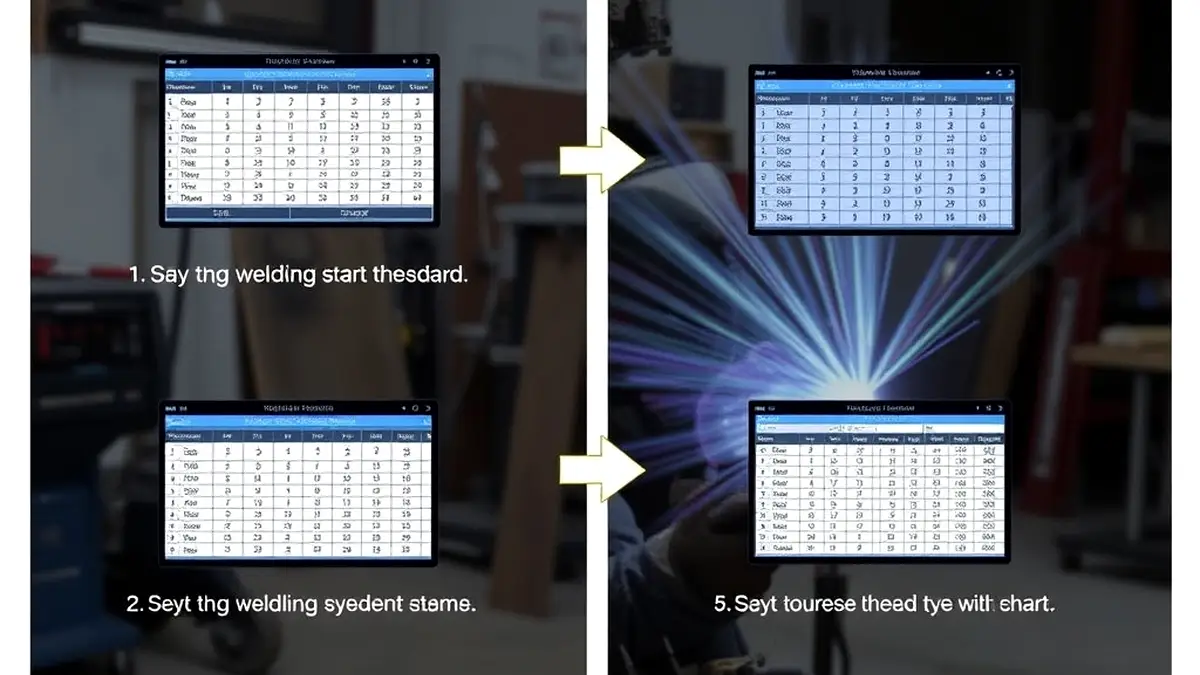
Reading a chart well is a small skill of its own. Follow this sequence every time you set up a new job:
That last step matters more than people realize. If you are unsure what your breaker or outlet needs to handle before you crank the machine up, our guide on what size breaker a welder needs walks through the math. Settings only work if the machine behind them can actually sustain them.
Stick welding forgives a lot. MIG welding, with its arc voltage compensation and wire-speed automation, forgives a fair amount too. TIG forgives almost nothing. The process is manual from end to end: you choose the current, you hold the arc length, you feed the rod, you control the pedal. When the chart numbers are wrong, there is no process magic to hide the mistake. The puddle tells the truth immediately, and the truth is usually a defect you can see, hear, or eventually break in a test.
Settings errors cluster into a handful of recognizable failures. Porosity shows up as pinholes and usually traces back to gas flow that is too high (turbulence pulls air in), too low (shielding breaks down), or contaminated base metal. Lack of fusion means the current was too low, the travel was too fast, or the arc was too long, so the puddle never wetted into the joint root. Burn-through is the opposite failure: too many amps, too slow a travel, or an arc held in place too long on thin stock. Warpage comes from excess total heat input, which is a function of amperage multiplied by time on the joint. Crater cracks appear when the arc is killed at full current instead of tapered, a fix that is as much machine setup as it is technique. And tungsten contamination, where the electrode dips into the puddle, is often caused by an arc too long for the amperage or a tungsten too small for the current.
Every one of those defects maps back to a column in a settings chart. That is why experienced inspectors can look at a failed TIG coupon and guess the machine error before anyone shows them the setup sheet. The weld is a diary of the settings.
Correct settings are not only about appearance and strength; they are part of the safety picture too. An arc set far too high on thin material can eject molten spatter toward the operator and ignite surrounding debris. Excessive current on a small machine pushes internal components past their thermal limits, which is how welders end up with scorched cables and damaged power supplies. And the ventilation side of the equation is directly tied to heat input: hotter, longer passes generate more fume, which is why workplace exposure limits and engineering controls are spelled out in documents such as the OSHA welding and cutting guidance and the NIOSH welding health page. Keeping settings efficient keeps fume production down and keeps the machine inside its rated envelope. If you want the broader picture on exposure, our welding safety tips collection covers shop practices alongside machine settings.
Pro Tip: Write the final settings on the back of every test coupon with a marker — material, thickness, amps, tungsten, gas flow. Six months later that scrap bin becomes the most valuable reference chart in your shop, because it was written for your machine and your hands.
Amperage is the number every welder wants first, and rightly so. The relationship between thickness and current is the spine of every TIG settings chart in every shop manual and every welding school wall. The tables in this section are starting points for argon-shielded TIG on common metals at room temperature, in the flat position, with a correctly prepped joint. Adjust from there for position, alloy, and joint design.
The classic rule of thumb says you need about 1 amp of current per 0.001 inch of material thickness for steel, measured at the thickest point of the joint. A 0.060-inch steel coupon wants roughly 60 amps. A 0.125-inch plate wants about 125. It is a remarkably reliable anchor, and most welders who have run TIG for a year carry it in their head.
The exceptions are where skill shows up. Aluminum conducts heat away from the arc so aggressively that you typically need about 1.2 to 1.3 amps per 0.001 inch to get the same penetration, plus you are on AC, which splits effective heating between cleaning and penetration. Stainless steel conducts heat poorly and holds it in a narrow zone, so you generally drop to about 0.8 to 0.9 amps per 0.001 inch and move on, because extra amps on stainless buy you sugar, oxidation, and warping instead of penetration. Very thin material under 0.040 inch breaks the linear rule entirely; you start at the low end of the chart and rely on pulse, tight arc length, and fast rod feeding rather than raw current. And for any joint with an open root or gap, back the number off by 10 to 15 percent and let a second pass fill in rather than letting gravity drop the puddle through the opening.
Use this table as the master reference for steel and stainless on DC, and as the baseline for AC aluminum before applying the aluminum multiplier discussed below. Values assume the flat position and a properly cleaned joint.
| Material Thickness | Metric | Mild Steel (DC) | Stainless (DC) | Aluminum (AC, approx.) | Suggested Tungsten |
|---|---|---|---|---|---|
| 0.020 in (sheet foil) | 0.5 mm | 10–20 A | 8–15 A | 15–25 A | 0.020 in / 1/16 in |
| 0.030 in | 0.8 mm | 25–45 A | 20–40 A | 35–60 A | 1/16 in |
| 0.040 in | 1.0 mm | 35–55 A | 30–50 A | 45–75 A | 1/16 in |
| 0.060 in (16 ga) | 1.5 mm | 55–80 A | 50–75 A | 70–100 A | 1/16 in / 3/32 in |
| 0.072 in (14 ga) | 1.8 mm | 70–95 A | 60–90 A | 85–115 A | 3/32 in |
| 0.090 in (11 ga) | 2.3 mm | 85–115 A | 75–105 A | 100–135 A | 3/32 in |
| 0.125 in (1/8 in) | 3.2 mm | 100–140 A | 90–125 A | 120–160 A | 3/32 in / 1/8 in |
| 0.187 in (3/16 in) | 4.8 mm | 130–180 A | 115–160 A | 150–210 A | 1/8 in |
| 0.250 in (1/4 in) | 6.4 mm | 160–220 A | 140–200 A | 180–250 A | 1/8 in / 5/32 in |
| 0.375 in (3/8 in) | 9.5 mm | 200–275 A | 180–240 A | 230–300 A | 1/4 in |
| 0.500 in (1/2 in) | 12.7 mm | 250–330 A | 210–280 A | 280–350 A | 1/4 in |
Notice how the stainless column stays below the mild steel column across every row. That gap is the conductivity rule in action, and ignoring it is the single most common cause of warping on sheet-metal stainless projects such as exhaust sections and kitchen equipment.
Thickness gives you the base number; joint geometry and position move it. Overhead work fights gravity, so a puddle that is too fluid will sag and drip before you can fill the joint. Vertical-up welding lets heat climb, so you reduce current to keep the pool from running ahead of you. A tight fit-up with no gap moves heat directly through the joint and wants full current, while an open root needs restraint.
| Condition | Adjustment From Base | Why |
|---|---|---|
| Flat position, tight fit-up | 100% (baseline) | Standard heat flow, puddle supported |
| Horizontal fillet | 95–100% | Minor gravity effect on puddle shape |
| Vertical-up | 85–90% | Heat rises with the puddle; reduce to avoid sag |
| Vertical-down | 80–85% | Fast travel plus gravity demands cooler arc |
| Overhead | 75–85% | Puddle must stay stiff enough to hang |
| Open root butt joint | 85–90% | Prevents drop-through; fills in later passes |
| Large gap (poor fit-up) | 70–80% | Gap acts as a heat sink and a gravity hazard |
| Heat-sink clamped (copper backing) | 110–120% | Backing pulls heat away; compensate with more amps |
Short Note: Change one variable at a time. If you drop amps for vertical-up and also shorten your arc and slow your travel, you will never know which change fixed (or broke) the weld. Good troubleshooting is scientific even in a dirty shop.
If you are still building confidence with position work, our companion piece on vertical welding techniques covers puddle mechanics for uphill runs in detail.
Before amperage can do its job, the machine has to be pointed the right way. Polarity decides where the heat goes — into the work or into the electrode — and whether the arc cleans the surface as it melts. Getting this wrong makes every other number on the chart meaningless, because a welder running DC on aluminum will simply bounce the arc off the oxide layer no matter what the amperage says.
On DC electrode negative (DCEN), roughly two-thirds of the arc heat concentrates at the workpiece and one-third at the tungsten. That ratio is exactly what you want when fusing steel, stainless, copper, titanium, and most other metals: deep penetration with a cool, stable electrode that lasts. DCEN is the default for the majority of TIG work worldwide, and every settings chart column for mild steel and stainless assumes it. The trade-off is that DCEN provides almost no cleaning action, so it will not break up the oxide skin on aluminum or magnesium. For that, you need alternating current.
Alternating current flips polarity many times per second. During the electrode-positive half of the cycle, electrons stream from the work into the tungsten, blasting the aluminum oxide layer (which melts at about 3,700 degrees Fahrenheit while the base metal melts at 1,220) off the surface. During the electrode-negative half, heat drives into the work for penetration. The result is a process that cleans and welds simultaneously. Every aluminum settings chart you see — including our dedicated aluminum TIG settings chart — assumes AC, and typically about 1.2 amps per 0.001 inch to compensate for the cleaning half-cycle and aluminum’s conductivity. If someone hands you a settings sheet for aluminum and the machine is on DC, the sheet is useless until the polarity changes.
Modern inverter machines expose two more AC parameters that shift what the chart means in practice: balance and frequency. Balance sets how much of the AC cycle is spent cleaning versus penetrating. A typical default sits around 65 to 70 percent cleaning; pushing toward 75 or 80 percent widens the etched cleaning band and removes more oxide, useful on dirty or cast surfaces, but it also puts more heat into the tungsten and can undercut the edges if overdone. Dropping toward 60 percent favors penetration and narrows the cleaning zone, which is preferable on clean, thin material where you want a tight, precise bead. AC frequency, adjustable from 60 to 300 hertz on many machines, controls arc cone shape: lower frequency spreads a soft, wide arc that is forgiving on contour work, while higher frequency concentrates a narrow, stiff arc that lets you place the puddle precisely in a corner joint or a root pass.
| AC Parameter | Setting Range | Move It Higher For | Move It Lower For |
|---|---|---|---|
| Balance (cleaning %) | 55–85% | More cleaning, dirty/cast surfaces | More penetration, tight beads, thin stock |
| Frequency (Hz) | 60–300 Hz | Narrow arc, corner control, fast travel | Wide soft arc, contour and joint following |
| Amperage (AC) | 20–350 A | Thicker aluminum, faster travel | Thin sheet, root passes, control |
Quick Note: Balance and frequency change effective heat, which means they nudge the amperage numbers too. If you push cleaning balance from 65 to 75 percent and the bead goes flat and wide, drop the amps by 5 to 10 percent and re-evaluate before changing anything else.
For a deeper dive into which polarity does what across processes, the comparison in MIG polarity explained reinforces the same electrical principles from a different angle. And if you are shopping for a machine that exposes these controls, our best TIG welder for beginners picks favor units with adjustable AC balance and frequency at entry-level prices.
Tungsten selection is the second column every welder reaches for, and the relationship between electrode diameter and current is not negotiable physics: too small an electrode for the current, and the tip melts, balls irregularly, and wanders; too large, and the arc refuses to start cleanly and concentrates heat into a stubborn, unfocused point. The chart below is the standard reference used across machine manuals and welding procedure specifications.
| Tungsten Diameter | DC Recommended Range | AC Recommended Range | Best Suited For |
|---|---|---|---|
| 0.020 in (0.5 mm) | 1–15 A | Not typical | Foil, micro-welds, jewelry |
| 0.040 in (1.0 mm) | 15–80 A | 20–60 A | 0.030–0.060 in sheet work |
| 1/16 in (1.6 mm) | 50–150 A | 40–120 A | Thin gauge steel, stainless, tube |
| 3/32 in (2.4 mm) | 100–250 A | 80–200 A | The all-purpose shop size |
| 1/8 in (3.2 mm) | 150–350 A | 120–280 A | Plate work, thick aluminum |
| 5/32 in (4.0 mm) | 200–400 A | 160–320 A | Heavy plate, production AC |
| 1/4 in (6.4 mm) | 250–500 A | 220–400 A | Heavy section, high-duty-cycle work |
Most hobby and light-fabrication shops live between 1/16 and 3/32, with 3/32 handling roughly 70 percent of everyday work. Notice the AC column runs a little below DC for the same diameter: the electrode-positive half of the AC cycle hammers the tungsten with electron bombardment and heats it harder, so you carry slightly less current to protect the tip. If you want the code-level version of these relationships, AWS technical resources publish the procedure qualification framework that shop parameter tables are built on.
Pro Tip: Buy 3/32 first, in both red thoriated and gold lanthanated. Those two will cover almost anything a beginner or intermediate welder encounters, from thin stainless brackets to 1/4-inch aluminum plate. Our breakdown of TIG electrode choices for aluminum explains why the gold 2% lanthanated has become the modern default.
Diameter handles current capacity; alloy handles arc starts, current type, and longevity. The color codes below follow the standard industry convention, though the style guide for any specific brand should be checked because a few manufacturers have historically marked differently.
| Color Band | Alloy | Primary Current | Arc Start Quality | Best Use Case |
|---|---|---|---|---|
| Green | Pure tungsten (100%) | AC only | Fair, ball tip required | Legacy aluminum work on transformer machines |
| Gray | Ceriated (2%) | DC + AC | Excellent at low amps | Thin stainless, tube, battery and instrument work |
| Red | Thoriated (2%) | DC (some AC) | Very good, stable | Steel and stainless production; slightly radioactive dust when grinding |
| Gold | Lanthanated (2%) | DC + AC | Excellent, low amp | Versatile all-rounder on both polarities |
| Blue | Lanthanated (1.5%) | DC + AC | Excellent | Alternatives to gold where stocked |
| White / Violet | Zirconiated (1–2%) | AC only | Good with ball tip | AC aluminum on transformer and squarewave machines |
| Orange | Yttriated (0.3–0.8%) | DC + AC | Very stable, long life | Narrow, deep arc on exotic alloys and thin sheet |
One safety note belongs on every tungsten chart: thoriated electrodes contain radioactive thorium, and the dust created during grinding must not be inhaled. Wet-grind or use a dedicated collector, wear the right respirator, and follow the handling practices outlined in NIOSH welding guidance. Many shops have quietly switched to lanthanated or ceriated precisely to eliminate that paperwork entirely.
The chart gets the size right; your grinder makes it work. Grind tungsten longitudinally — the grind lines must run lengthwise from tip to tail, never circumferentially — because longitudinal striations stabilize arc initiation and prevent the arc from spinning around the tip. Grind to a tapered point with a included angle between 20 and 30 degrees for DC work; a blunter 60 to 90 degree truncated tip is better for AC, where the ball forms on its own. Stick-out, the length the tungsten protrudes from the gas cup, should be roughly one to one-and-a-half cup diameters: too long and you lose shielding, too short and the cup crowds your view and forces an awkward angle. Keep tungsten preparation consistent and the arc behaves exactly as the settings chart predicted.
Quick Note: Never reuse a contaminated tungsten by just striking the arc again. A single dip transfers aluminum or steel into the electrode, the arc goes crooked, and the contamination rides into your next weld. Snap the ruined tip off or regrind immediately — the whole procedure takes under a minute.
Gas is the invisible half of the settings sheet. Get it wrong and no amperage adjustment will save the weld: too little flow lets atmospheric nitrogen and oxygen dissolve into the molten puddle and come out as porosity when it solidifies; too much flow creates a venturi effect that actually sucks surrounding air into the shield and does the same damage, just faster. The chart below covers the mainstream configurations.
| Material / Situation | Gas | Flow Rate (CFH) | Flow Rate (L/min) | Notes |
|---|---|---|---|---|
| Mild steel, DC | 100% Argon | 15–20 | 7–10 | Industry default for steel TIG |
| Stainless steel | 100% Argon | 15–25 | 7–12 | Argon-helium blends add speed on thick sections |
| Aluminum, AC | 100% Argon | 15–25 | 7–12 | Below 200 A; helium blends above that |
| Thick aluminum (200 A+) | 75% He / 25% Ar | 20–30 | 10–15 | Hotter arc, faster travel, deeper penetration |
| Copper and brass | 100% Argon or He-Ar | 20–30 | 10–15 | Helium helps overcome conductivity |
| Titanium (backing shield) | 100% Argon (high purity) | 20–30 front, 30–50 purge | 10–15 / 15–25 | Oxygen below 0.05% behind the weld |
| Micro / low-amp work | 100% Argon | 5–10 | 2–5 | Small cup, low flow, tight control |
Helium’s role deserves emphasis because it is the one deliberate way to change heat without touching the amperage dial. Helium conducts thermal energy roughly six times better than argon, so a 75/25 helium-argon blend delivers a hotter, deeper, faster arc at the same current. That makes it the tool of choice for thick aluminum, copper, and production work where cycle time matters. The downside is cost and a less forgiving arc at low amperage, which is why pure argon remains the standard for everything under about 200 amps. If you have ever wondered whether your MIG gas bottle can double for TIG, the chemistry discussion in what gas to use welding aluminum covers the mixing questions that come up most often.
The same nominal flow rate delivers different shielding depending on the hardware and the room. A standard ceramic cup in still shop air is the baseline; everything else modifies it.
| Condition | Standard Cup Flow | Gas Lens Flow | Reasoning |
|---|---|---|---|
| Still shop air, flat position | 15–20 CFH | 10–15 CFH | Laminar lens flow covers more with less |
| Vertical / overhead | 18–22 CFH | 12–16 CFH | Gravity pulls shield gas off the puddle |
| Outdoors, light breeze | 25–35 CFH | 20–25 CFH | Wind strips the shield; screens help more than flow |
| Inside a tank or enclosure | 12–16 CFH | 10–14 CFH | Reflected gas builds up; excess causes turbulence |
| Large cup (#12–#20) | 12–18 CFH | 10–14 CFH | Bigger cup = more coverage per CFH |
| Small cup (#4–#8), tight joint | 8–12 CFH | 6–10 CFH | Small volume; too much flow pulls air in |
The most common shop error is cranking flow to 30 or 40 CFH “to be safe.” That almost always makes shielding worse, not better. Anything above roughly 35 CFH through a standard number 8 cup goes turbulent, and turbulent gas mixes with air instead of pushing it away. If you suspect shielding problems, the tell is discoloration: straw or gold on stainless means slight oxidation, blue or black means serious exposure, and sugary gray scale on the backside of a tube means the purge never worked at all.
Important: Always check your gas with the machine running and the flowmeter set, then look at the actual reading with the arc established if your rig allows it. A partially blocked nozzle or a kinked liner can cut delivered flow dramatically while the regulator dial still reads where you set it. Our related guide on gas settings for MIG explains the same meter-reading discipline for wire processes.
Flow rate is only part of the gas story; the timers on the machine govern how long gas surrounds the puddle before and after the arc. Pre-flow of 0.5 to 1 second floods the joint with argon before arc initiation so the first frozen droplet of metal solidifies under shielding instead of in air. Post-flow of 5 to 15 seconds keeps gas on the crater while it cools through the temperature range where oxidation is still possible — this is why the back end of an aluminum or titanium weld goes from shiny to frosty white if you lift the torch too soon. Rule of thumb: post-flow should be roughly one second per 10 amps, with a floor of about 5 seconds, and longer still for reactive metals. Dial these timers in alongside your main settings and the crater end of your weld will stop being the ugliest part of the bead.
Pulsing is the settings-chart answer to a physics problem: how do you deliver enough current to melt the metal while limiting total heat so thin material does not distort? A pulse program alternates between a high peak current that melts and penetrates and a low background current that lets the puddle partially solidify and cool. The result is controlled, repeatable heat in tight spaces, and it is the technique that separates clean sheet-metal TIG work from heat-scarred wreckage.
Pulse frequency is pulses per second, from about 0.5 Hz on analog machines to 500 Hz or more on advanced inverters. Low frequencies (0.5–5 Hz) are audible as distinct thumps and are ideal for learning, root passes, and thin stainless where you want time to watch each puddle freeze before the next peak arrives. Medium frequencies (10–50 Hz) produce the classic rhythmic bead most welders associate with pulsed TIG. High frequencies (100 Hz+) blend into a steady arc and are used for precision work where you want the heat control of pulsing with the smooth appearance of continuous current.
Duty cycle within the pulse — usually expressed as on-time percentage — controls the ratio of peak to background heating. A typical starting point is 40 to 50 percent on-time with the background set at roughly 40 to 60 percent of peak amperage. Squeeze more on-time and you add heat; raise the background and the puddle stays fluid longer between peaks, which helps on materials that crack from rapid cooling.
| Pulse Parameter | Starting Setting | Increase For | Decrease For |
|---|---|---|---|
| Peak amperage | Chart amps for thickness | Thicker root, faster travel | Thin sheet, out-of-position |
| Background amperage | 40–60% of peak | Keeping puddle fluid, alloy steels | Maximum cooling, very thin stock |
| Pulse frequency | 1–2 Hz (learning), 20–40 Hz (production) | Smooth appearance, precision | Watching each freeze, root passes |
| On-time (duty) | 40–50% | Penetration and travel speed | Heat reduction and control |
| Post-flow | 8–12 s | Reactive metals, crater protection | Cycle time on mild steel |
Consider two real scenarios. Welding 0.030-inch stainless with a 1/16 tungsten, you might set peak at 45 amps (the chart value) and background at 18 amps with a 2-second pulse. The puddle forms at the peak, freezes substantially at the background, and you step forward with each cycle, depositing one dab of filler per pulse. The sheet barely warps. Now take 0.125-inch aluminum on AC: peak might be 140 amps, background 70 amps, frequency 30 hertz — fast enough that the puddle never fully freezes but slow enough that total heat input runs 20 to 30 percent below a continuous arc at 140. Same physics, two very different programs.
The critical discipline with pulse is matching filler delivery to the rhythm. Add rod on the peak, hold during background, move during the transition. If your hand is not synchronized with the machine, pulsing becomes a vibration rather than a tool. For technique-side practice on the hand motion itself, our TIG welding tips and tricks guide covers filler timing drills that pair directly with these programs.
Pro Tip: If your machine has a pulse feature you have never used, set frequency to 1 Hz on a scrap coupon of your thickest material and just watch. Notice where the puddle peaks, where it shrinks, where it darkens. One hour of that observation teaches more heat control than any chart, and then the chart numbers suddenly make physical sense.
Filler is the column of the settings sheet that beginners ignore and that experienced welders treat as seriously as amperage. A rod that is too large acts as a heat sink, chilling the puddle and forcing you to crank amps to compensate; a rod that is too small melts into the puddle before you can build reinforcement, encouraging you to over-dab and pile up a lumpy, cold bead. The pairing table below matches common filler diameters to the current ranges where they behave.
| Filler Diameter | Metric | Matching Amperage | Matching Tungsten | Typical Application |
|---|---|---|---|---|
| 0.030 in / 1/32 in | 0.8 mm | 15–40 A | 0.040 in | Foil, tacks, instrument repair |
| 1/16 in | 1.6 mm | 40–100 A | 1/16 in | Sheet steel and stainless, thin tube |
| 3/32 in | 2.4 mm | 80–150 A | 3/32 in | The everyday rod for most shop work |
| 1/8 in | 3.2 mm | 120–220 A | 1/8 in | Plate, heavy fillets, aluminum laps |
| 5/32 in | 4.0 mm | 180–300 A | 5/32–1/4 in | Heavy aluminum, thick plate builds |
| 3/16 in | 4.8 mm | 250–400 A | 1/4 in | Heavy section, high deposition passes |
Two secondary rules keep this table honest. First, filler alloy must match or deliberately complement the base metal — 4043 filler for general aluminum work where cracking resistance matters, 5356 for higher strength and anodizing color match, 308L for 304 stainless, ER70S-2 for mild steel. Second, rod chemistry matters less than cleanliness: any filler that has been sitting in a glovebox full of shop dust needs wiped with solvent before it touches the puddle, because the oil on your fingerprint transfers straight into the weld. Clean rod on a clean joint means you need less filler overall, which is the real secret to an attractive bead.
Quick Note: A good general cadence is one dip of filler for every quarter-inch of travel on light work, and a dab per eighth-inch on heavier passes. If you find yourself feeding rod constantly and still building the joint, your amps are probably too low — fix the machine before blaming your hands.
Two numbers never appear on most printed charts yet they control the outcome as much as amperage does: how fast you move, and how long the machine lets you run before thermal shutdown. Both deserve a place on your personal settings sheet.
Travel speed sets heat per inch. A welder moving too slowly cooks the joint regardless of the amperage setting; a welder moving too fast freezes the puddle before it wets the sidewalls and ends up with cold, ropey beads stacked on top of un-fused metal.
| Thickness | Amperage | Travel Speed (flat) | Filler Cadence | Bead Width Expectation |
|---|---|---|---|---|
| 0.030 in | 30–45 A | 6–10 in/min | 1 dip per 1/4 in | 1/8–3/16 in |
| 0.060 in | 55–75 A | 5–8 in/min | 1 dip per 3/16 in | 3/16–1/4 in |
| 0.125 in | 100–130 A | 4–7 in/min | 1 dip per 1/8 in | 1/4–5/16 in |
| 0.250 in | 160–210 A | 3–5 in/min | Continuous feed, small weave | 5/16–3/8 in |
| 0.500 in | 250–320 A | 2–4 in/min | Continuous with weave | 3/8–1/2 in |
Those numbers are starting bands, not laws. Position, joint angle, and whether you are running root or cap all shift them. The reliable diagnostic is the puddle itself: a puddle that lags half an inch behind the arc is too hot or too slow; a puddle that will not spread to the joint toes is too cold or too fast. Learn to read that shape and you can adjust speed even on jobs where no chart exists.
Duty cycle is rated at a stated output in a 10-minute window — “140 A at 60 percent duty” means six minutes of arc and four minutes of cooling per ten. Push past it and the machine’s thermal protector eventually trips, or worse, internal components cook. Real-world numbers run lower than nameplate numbers when your bench is hot, your ambient temperature is high, or your supply voltage sags.
| Output Setting | Duty Cycle (typical 200 A class machine) | Arc Time per 10 min | Practical Session Note |
|---|---|---|---|
| 80 A | 60–100% | 6–10 min | Sheet work, effectively continuous |
| 120 A | 40–60% | 4–6 min | Comfortable for most structural tacks |
| 160 A | 25–40% | 2.5–4 min | Short runs with pauses for fit-up |
| 200 A (max) | 20–35% | 2–3.5 min | Plan cooling breaks into your work rhythm |
If you are pairing a machine with a generator or a specific outlet, confirm the supply can carry the input draw at your target output before trusting any of these numbers; our welder wattage breakdown shows how input current climbs with output. And when you are ready to compare process efficiency at the same material thickness, is TIG stronger than MIG examines where each process’s heat characteristics actually matter in service.
Short Note: Treat the duty cycle as part of the settings. If the chart says 200 amps but your machine only sustains two minutes at 200, plan your pass lengths around that limit instead of waiting for a thermal cutout in the middle of a critical root.
Everything discussed so far assumes the hardware between the power source and the arc is sized correctly. A chart that says 250 amps means nothing if the torch is choking at 180 and the cable is warm enough to soften its own jacket. Torch class, cable runs, and gas plumbing are setup parameters worth putting on the same sheet as your amperage. Before you deviate too far from the numbers in this article, it is worth cross-checking them against your machine maker’s own parameter tables — Lincoln application guides and the manuals from every other major manufacturer all derive from the same physics, and their tables reflect their own output curves.
| Torch Type | Practical Amp Range | Duty at High Amps | Weight / Handling | Best Fit |
|---|---|---|---|---|
| Air-cooled, small (#4–#9) | 10–150 A | High at low amps | Light, no hoses to snag | Hobby, sheet, light fab |
| Air-cooled, heavy (#20–#26) | 100–300 A | Moderate; gets hot | Heavier, stiff lead | Field repair, plate work |
| Water-cooled, standard | 150–500 A | Continuous at rated amps | Two hoses, cooler grip | Production, thick aluminum |
| Water-cooled, flexible | 200–550 A | Continuous | Soft, maneuverable lines | Pipe, position work, ergonomics |
The crossover sits around 150 to 200 amps for most people. Below that, air-cooled torches are simpler and cheaper and there is no real penalty. Above it, particularly on AC aluminum where the electrode-positive half-cycle heats the torch head hard, water cooling keeps the handle comfortable and extends consumable life. If your chart calls for sustained work above 200 amps and you are on an air-cooled torch, plan on frequent pauses or a bigger cup and accept the heat in your hand.
Flow depends on the regulator’s ability to deliver it. A cheap regulator set to 20 CFH with the machine off may deliver 12 under arc-on conditions if the cylinder is low or the seat is worn. Use a flowmeter-style regulator with the cylinder valve fully opened (one full turn past contact, per standard practice), verify the reading with gas flowing, and size the hose so a long run does not drop pressure. On the torch end, cup selection is a shielding parameter in its own right: a standard #6 cup handles most bench work, a #8 or #10 extends coverage for larger joints and vertical positions, and a gas lens insert — which turns turbulent flow into a laminar column — lets you cut flow rates by roughly a third while improving shielding. Specialty cups like Pyrex give you visibility of the puddle and alumina cups handle heat without complaint. Match the cup to the joint the same way you match tungsten to amps.
For an organized look at how torch and consumable choices stack up against cost, the equipment notes in our PrimeWeld TIG225X review cover which accessories ship with the machine and which ones you will end up buying anyway.
Two identical coupons, one clamped as a tight butt joint and the other as an open lap, will not accept identical settings. Joint geometry changes how heat flows through the assembly, and position changes how gravity treats the puddle. This section gives the correction factors that turn a flat-butt chart value into a real-world number.
| Joint Type | Amperage Adjustment | Technique Note | Common Error |
|---|---|---|---|
| Butt, square groove (tight) | 100% baseline | Even travel, slight weave if thick | Too slow; overheating root |
| Butt with 1/16 open root | 85–90% | Keyhole control, dab per keyhole | Dropping through the root |
| Lap joint | 90–95% | Aim at the edge of the top sheet | Undercutting thin edge |
| T-joint (fillet) | 95–105% | Aim at the joint root, slight weave | Wetting only one side |
| Inside corner | 95–100% | Tighter arc, shorter stick-out | Arc wander toward one plate |
| Outside corner | 85–95% | Edge melts fast; keep speed up | Melting the corner away |
| Edge/tack on thin sheet | 75–85% | Very fast travel, minimal filler | Ball formation instead of tack |
Out-of-position welding deserves its own callout because the reduction percentages compound with joint adjustments. Start with 90 percent of flat amperage for vertical-up fillet work, drop to 85 percent for vertical-down on thin material, and take overhead down to 80 percent for anything thicker than 0.090 inch. The reason is straightforward: gravity elongates the puddle, and elongation is uncontrolled heat distribution. Cooling the arc stiffens the puddle so it stays where you put it. On thick overhead roots, some welders compensate instead with a slightly higher background current in pulse mode to keep the puddle from freezing mid-pass while the peak stays low enough to prevent dripping — a settings solution to a position problem.
Quick Note: When a weld fails in position, check amperage first, travel second, arc length third. In that order. Most out-of-position defects dissolve with a 10 percent current reduction and nothing else changed.
Sometimes you do not want a general chart; you want the whole setup for one specific job, written out in one block. These four snapshots cover the materials that account for the vast majority of TIG work in shops and garages worldwide.
| Parameter | Thin (0.040–0.060 in) | Medium (0.125 in) | Thick (0.250 in) |
|---|---|---|---|
| Current type | AC | AC | AC |
| Amperage | 45–75 A | 110–150 A | 180–250 A |
| Tungsten | 1/16 gold or zirconiated | 3/32 gold | 1/8 gold |
| Balance (cleaning) | 65–70% | 65–72% | 60–68% |
| Frequency | 120–200 Hz | 100–150 Hz | 80–120 Hz |
| Gas flow | 15–18 CFH | 18–22 CFH | 22–28 CFH (or He-Ar blend) |
| Filler | 1/16 ER4043 | 3/32 ER4043 or 5356 | 1/8 ER5356 |
| Cup | #8 standard or lens | #8–#10 lens | #10–#12 lens |
Aluminum prep is half the settings. Brush with a dedicated stainless brush (never one used on steel), wipe with acetone, and remove the oxide skin immediately before welding. An aluminum TIG session that starts with 10 minutes of cleaning ends with half the defects of one that starts with 5 minutes. Our full aluminum settings chart expands each row here into its own reference table.
| Parameter | Thin (0.030–0.060 in) | Medium (0.125 in) | Thick (0.250 in) |
|---|---|---|---|
| Current type | DCEN | DCEN | DCEN |
| Amperage | 25–60 A | 80–120 A | 140–200 A |
| Tungsten | 1/16 ceriated | 3/32 ceriated or lanthanated | 1/8 lanthanated |
| Gas | 100% argon, 15 CFH | 100% argon, 18 CFH | Ar or Ar-He, 20–25 CFH |
| Filler | 1/16 ER308L | 3/32 ER308L | 1/8 ER308L |
| Heat strategy | Pulse or fast travel | Consistent speed, no dwell | Preheat not usually needed |
| Post-flow | 8–10 s | 8–12 s | 10–15 s |
Stainless punishes dwell above all else. The material holds heat in a narrow band and sensitizes — chromium carbides precipitate and corrosion resistance drops — when it sits in the 800 to 1,500 degree Fahrenheit range too long. That is why stainless columns on charts read lower than steel and why travel speed matters more here than anywhere else. Watch color as your gauge: light straw is fine, gold is acceptable, blue means too hot, gray sugary scale means the shielding failed entirely.
| Parameter | 16 ga (0.060 in) | 1/8 in | 1/4 in |
|---|---|---|---|
| Amperage | 55–75 A | 100–135 A | 165–215 A |
| Tungsten | 1/16 red or gold | 3/32 red or gold | 1/8 gold |
| Gas | 100% argon 15 CFH | 100% argon 18 CFH | 100% argon 20 CFH |
| Filler | 1/16 ER70S-2 | 3/32 ER70S-2 | 1/8 ER70S-2 |
| Preheat | None | None (usually) | None under 50°F ambient |
Mild steel is the most forgiving column on any chart, which makes it the right place to learn dial-in discipline before moving to less tolerant materials. Clean mill scale from the joint zone with a grinder or flap disc, wipe with solvent, and the same numbers that produce a good bead on clean steel will behave. Leave the mill scale in and you will chase porosity and arc instability that no amperage change fixes — a contamination problem disguised as a settings problem.
Exotic materials bend the chart because their thermal behavior is extreme in different directions. Copper conducts heat away so fast that you may need 30 to 50 percent more current than steel of the same thickness, and even then copper backing blocks or preheat of 200 to 400 degrees Fahrenheit are common on heavier sections. Brass is the opposite hazard: zinc boils at about 1,675 degrees Fahrenheit and vaporizes well before the copper melts, so keep amperage modest, travel quick, and ventilation excellent — zinc fume is the cause of metal fume fever, and the exposure question is addressed directly by OSHA’s welding safety resources. Titanium is a shielding purist’s material: anything above roughly 1,000 degrees Fahrenheit will absorb oxygen and nitrogen and go brittle, so front shielding, trailing shields, and back purging are not optional, argon purity must be high, and post-flow runs long. Titanium tolerates no shortcuts, which is why its row on any chart carries more footnotes than any other.
Important: Never back-purge titanium or stainless with argon from a cylinder that has been used for general shop blowing. Contaminated purge gas introduces exactly the impurities the purge exists to exclude. Keep dedicated, clean lines for purge work.
Having the chart is step one. Getting from chart to a finished, correct weld on your specific machine, in your specific shop, follows a fixed sequence that experienced welders run almost unconsciously. Written out, it looks like this:
Pro Tip: Do the entire dial-in sequence on scrap before touching the actual workpiece. The two minutes spent on a coupon routinely save a rebuilt part. On expensive material — stainless architectural work, titanium, thick aluminum — this step is not optional; it is what separates a professional setup from gambling. Modern machines make this easier: features like Miller’s Auto-Set dial the output to your tungsten diameter and material thickness automatically, then you fine-tune from there — the same chart logic, built into the front panel.
When a weld goes wrong mid-job, you need the answer faster than you need theory. This table maps the visible symptom to its most likely settings cause and the single first correction to try.
| Symptom | Most Likely Cause | First Setting Change | Secondary Check |
|---|---|---|---|
| Arc wanders or flickers | Wrong current type, contaminated tungsten, wrong size | Verify DC/AC; reground tungsten | Gas flow, dirt on joint |
| Porosity, pinholes | Gas flow too high or too low; dirty base metal | Set flow to chart value (15–20 CFH) | Clean joint, check leaks |
| Burn-through | Amperage too high or travel too slow | Reduce amps 10–15% | Speed up; use pulse |
| Cold, ropey bead, no wet-in | Amperage too low or travel too fast | Increase amps 10–15% | Shorten arc, slow down |
| Lack of fusion at root | Insufficient current, long arc, fast travel | Increase amps; aim at root | Check joint gap |
| Warpage after welding | Excess total heat input | Drop amps, add pulse | Backstep sequence, heat sinks |
| Straw/blue discoloration (stainless) | Too much heat, slow travel | Reduce amps; increase speed | Post-flow too short? |
| Gray sugary backside (stainless tube) | Purge failed or absent | Set purge flow 30–50 CFH | Seal ends; verify argon purity |
| Frosty white oxide (aluminum) | Lifted torch before post-flow ended | Extend post-flow to 10+ s | Increase cleaning balance slightly |
| Crater crack at stop | Full current at arc-off | Use crater fill or taper pedal | Add final rod dab |
| Tungsten balls up or erodes | Too much current for diameter | Step up tungsten size | Check polarity (DCEN) |
| Spatter on TIG weld | Wrong polarity, dirty rod, contaminated puddle | Verify DCEN; clean filler | Wipe with solvent |
| Arc starts hard, stubs | Dull tungsten, no HF, wrong grind angle | Regrain to 20–30° point | Check start settings |
| Wide, shallow bead | Arc length too long | Shorten to 1–1.5× tungsten dia. | Reduce stick-out |
Before you reach for the settings sheet, read the weld itself. On stainless and titanium, surface color is a free thermocouple. Silver or light straw means excellent shielding and correct heat. Gold to brown means a bit much heat but structurally sound for most non-food work. Blue, purple, and gray scale mean shielding has broken down or dwell has gone too long, and on titanium anything past light straw means the material under the oxide has absorbed gas and lost ductility. On aluminum, the frost pattern around the bead tells the same story: a bright, narrow etched band with a shiny centerline means your balance, frequency, and amperage are all in harmony; a wide, chalky, clouded band means too much cleaning or too much heat. The puddle and the color never lie about your settings — they just need to be read carefully.
Quick Note: Keep a ground glass or a camera handy for overhead and out-of-position work where you cannot see the puddle clearly. If you cannot read the puddle, you are guessing at settings, and guessing is how coupons get scrapped.
Across shops, schools, and garage rigs, the same handful of settings errors show up again and again. Each one has a specific, mechanical fix.
If you are early in the learning curve, these errors are covered again from a technique angle in our tips for beginning welders, and the settings-side discipline for wire processes mirrors the same habits in MIG wire speed and voltage charts.
This is the practical payoff of the entire article: one consolidated sheet of real-world starting points. Print it, tape it to the cart, and adjust from the values as your coupon tests dictate. All values assume flat position, clean metal, argon at sea level, and a correctly sized tungsten.
| # | Job | Material / Thickness | Polarity | Amps | Tungsten | Gas (CFH) | Filler |
|---|---|---|---|---|---|---|---|
| 1 | Thin steel bracket | Mild steel 0.040 in | DCEN | 35–50 | 1/16 gold | 15 | 1/16 ER70S-2 |
| 2 | 1/8 plate butt joint | Mild steel 0.125 in | DCEN | 105–130 | 3/32 gold | 18 | 3/32 ER70S-2 |
| 3 | Exhaust stainless weld | 304 stainless 0.049 in | DCEN | 40–55 | 1/16 ceriated | 15 | 1/16 ER308L |
| 4 | Stainless handrail tube | 304 stainless 0.065 in, purge | DCEN | 55–75 | 3/32 ceriated | 18 + 25 purge | 1/16 ER308L |
| 5 | Aluminum sheet patch | 6061 0.063 in AC | AC | 70–95 | 3/32 gold | 18 | 3/32 ER4043 |
| 6 | Aluminum tube fillet | 6061 0.125 in AC | AC | 115–145 | 3/32 gold | 20 | 3/32 ER5356 |
| 7 | Thick aluminum plate | 6061 0.375 in AC | AC | 220–280 | 1/8 gold | 25 (or He-Ar) | 1/8 ER5356 |
| 8 | Copper bus bar join | C110 copper 0.250 in | DCEN | 200–260 | 1/8 lanthanated | 22 | 1/8 ERCu |
| 9 | Titanium tube root | Grade 2 Ti 0.065 in, purge | DCEN | 45–65 | 1/16 ceriated | 20 + purge | 1/16 ERTi-1/2 |
| 10 | Cast iron repair prefill | Ni-55 on cast, DC | DCEN | 90–120 | 3/32 ceriated | 20 | 3/32 Ni rod |
Each row is a starting point validated on typical shop machines, and each will need tuning on your rig. Machine output curves differ — one welder’s 60 amps may deliver noticeably more arc energy than another’s at the same dial position — which is why coupon testing never goes out of style. When the work involves cast iron in particular, filler selection interacts with settings more than usual, and our best TIG rod for cast iron article covers which alloys tolerate the heat input you can actually control on a bench machine.
No settings discussion is complete without the parameters that protect the operator. They belong on the same mental sheet as amperage and gas flow, because a perfect bead is worthless to a welder who took a fume exposure or tripped a breaker mid-pass.
Ventilation scales with heat input. A 40-amp sheet weld produces modest fume; a 250-amp aluminum pass produces considerably more, especially if the base metal is painted, anodized, or coated. Local exhaust ventilation positioned within about a foot of the arc captures most of it before it reaches your breathing zone, and respiratory protection fills the gap when engineering controls cannot. The health side of the equation — welding fume constituents, exposure limits, and protection strategies — is documented authoritatively by NIOSH’s welding program pages and reflected in shop rules derived from the OSHA welding standard in the eCFR.
Electrical load is the other silent settings column. A TIG machine drawing 30 to 50 amps of input current at 230 volts needs a circuit sized for that draw, not for the output you are proud of. Undersized breakers trip at the worst moment, undersized extension cords sag in voltage and weaken the arc, and daisy-chained power strips are a fire hazard no settings chart can compensate for. Size the circuit first — our breaker sizing walkthrough and outlet guide handle the calculations — and then let the arc settings follow on solid supply.
PPE settings matter too: lens shade for TIG work typically sits between shade 9 and 13 depending on amperage, with lower amps wanting the lighter end so you can actually see the puddle detail. Auto-darkening helmets tuned for TIG (lower light-sensitivity settings, higher reaction speed) make low-amperage work dramatically easier. Our picks for TIG-specific helmets explain which lens features matter at 40 amps versus 250. Gloves rated for TIG are thinner and more tactile than stick gloves — thinner material means better filler control, and TIG glove reviews cover the trade-off between feel and protection. Everything else about shop safety — fire watch, screen placement, cylinder handling — is collected in our welding safety tips resource.
Quick Note: Cylinder securing is a settings-adjacent habit worth locking in: chain or strap every gas bottle, keep caps on when in use, and store empties separately. A falling argon bottle is the single most dangerous object in most shops, and no amount of perfect welding compensates for it.
A TIG welding settings chart is a reference table that lists recommended machine parameters — amperage, polarity, tungsten diameter, gas type and flow, and sometimes travel speed and filler size — organized by material type and thickness. It exists so a welder can go from job description to machine dial in seconds, without trial and error on the actual workpiece. Shop charts are usually derived from manufacturer recommendations and welding procedure specifications, then tuned to the specific machine in service.
Identify your base metal, measure its thickness with calipers, find the matching row, and read across for the recommended current range, tungsten size, and gas flow. Then apply corrections for joint type (open roots and lap joints run cooler than tight butts), position (vertical and overhead run 10 to 25 percent below flat), and machine duty cycle. Start at the middle of the amperage range, run a coupon, and adjust one variable at a time until the backside of the weld shows proper penetration.
The primary factors are material type, material thickness, joint configuration, welding position, and desired travel speed. Secondary factors include tungsten diameter and alloy, gas composition and flow rate, AC balance and frequency on aluminum, ambient temperature (cold material pulls heat), machine duty cycle, and whether the joint has backing, purge, or heat-sink clamps attached. Skill level matters too: beginners generally run slightly hotter settings for a wider, more forgiving puddle and dial down as control improves.
Accurate settings prevent the five classic TIG failures: porosity, lack of fusion, burn-through, warpage, and crater cracking. They also protect equipment by keeping the machine within its rated duty cycle, reduce total fume generation by minimizing excess heat, and — on reactive materials like titanium — determine whether the finished weld is structurally sound or contaminated and brittle. In short, settings are where weld quality, productivity, and safety all originate.
No. The general structure of a chart transfers, but the numbers do not. Aluminum needs roughly 20 to 30 percent more current than steel of the same thickness and requires AC with cleaning balance; stainless needs 10 to 20 percent less current plus faster travel to avoid sensitization; copper may need far more current because of conductivity; titanium demands stricter shielding than any other common metal. Use material-specific columns or separate sheets, which is exactly how this article is organized.
Whenever something in the system changes: a new torch or cup size, a switch from argon to a helium blend, a different machine, a change in altitude or workshop temperature, or when you discover a better final number through coupon testing. A settings sheet is a living document. The best ones in a shop have corrections and initials all over them, because they have been maintained instead of laminated and forgotten.
A TIG welding settings chart is not a poster on the wall; it is the compressed experience of everyone who ever dialed a machine before you. The amperage columns give you a safe starting point for any thickness, the tungsten tables keep the arc behaving, the gas flow reference protects the puddle, and the pulse and travel-speed data let you take control of heat when the material leaves no margin for error. None of the numbers replace watching the puddle — but every number exists because somebody watched a puddle fail and wrote down what fixed it.
Start with the chart, run a coupon, adjust one variable at a time, and write your final settings on the metal. Do that on every job for a few months and you will stop needing to look anything up, because your own scrap bin will have become a chart tailored to your hands, your machine, and your shop. That is the whole point of precise control: fewer surprises, more repeatable welds, and a lot less wasted metal. Keep the tables close, keep the tungsten sharp, keep the gas clean, and may your beads stay consistent and your craters stay crack-free.