There’s a particular kind of frustration reserved for welders who change settings based on vibes. Ray knew it well. For his first eight months with a 140-amp wire feed machine, his tuning method was: start somewhere in the middle of the dials, run a bead, turn something, run another bead, turn it back, get distracted by spatter, turn two things at once, and eventually settle on whatever combination produced the least offensive result — which he then forgot by the next weekend because nothing was written down and nothing was understood.
His breakthrough wasn’t a new machine or a weekend class. It was a laminated chart taped inside his welding cart door — thickness down one side, recommended wire speed and voltage across the top, a clean grid of numbers he could hit in ten seconds. Within a month, Ray’s bead quality didn’t just improve; it became predictable. He stopped discovering settings and started arriving at them. The arc came alive immediately instead of after twenty minutes of trial. His scrap pile stopped growing. And maybe most importantly, when a weld did go wrong, he had a known-good baseline to diagnose against — instead of a fog of random adjustments.
“The chart didn’t weld for me,” he said later. “It just stopped me from fighting myself.” That’s the honest role of a wire speed and voltage chart: it’s not a magic answer, it’s a launch pad. It gets you into the right neighborhood fast, so your technique — and your ear for the arc — can do the fine work. In this guide, we’re building the complete chart for flux core MIG welding: by thickness, by wire size, by position, by pass type, plus the skill of translating those numbers through your specific machine’s dial language. By the end, you’ll never again spend twenty minutes guessing what Ray could look up in ten seconds.
Key Takeaways: Chart Wisdom in Seven Lines
- Voltage and wire speed are a coupled system. Wire feed speed sets your amperage (heat current and deposition); voltage sets arc length and fluidity. Adjust them as a team, not as rivals.
- Charts give starting ranges, not commandments. Your machine, your wire brand, your stickout, and your joint geometry all shift the ideal point within (and occasionally just outside) the published window.
- Position changes settings. Vertical-up and overhead need less heat than flat — typically 5–15% adjustments. Our positional guides quantify it: vertical-up and horizontal.
- Polarity is a prerequisite, not a setting. Self-shielded flux core runs DC electrode positive — no exceptions. Verify it before blaming the chart. Details: our polarity guide.
- Machine limits bound the chart. A 110V 130-amp machine can’t execute the settings a 200-amp machine can — know your machine’s output ceiling and work within it.
- Verify with three instruments: your ears (steady frying), your eyes (convex bead, wetted toes), and your slag (thin and clean). The numbers get you close; the senses confirm.
- Write down what works. Your calibrated personal chart — machine + wire + thickness + dial numbers + result — outperforms any generic table, because it’s measured on your hardware.
Now let’s build the mental model that makes every chart in this article make sense.
Why Voltage and Wire Speed Must Be Tuned Together
Almost every beginner treats the two dials as independent levers: “more speed = more metal, more voltage = more heat.” The reality is a feedback system, and understanding it is the difference between reading charts and mastering them.
Wire feed speed (WFS) does two jobs at once. First, it literally sets how much metal arrives per minute — your deposition rate. Second, and less intuitively, it sets your amperage. In a constant-voltage machine, the current flowing through the wire is governed by how fast fresh wire enters the arc zone: push wire in faster and the arc draws more amps to melt it; slow it down and amperage falls. This is why experienced welders say “wire speed is your amps” — it’s not metaphor. A chart listing wire speed in inches per minute (ipm) is, at heart, an amperage recommendation expressed in feed terms.
Voltage does three jobs. It establishes arc length (the gap between wire tip and puddle — higher voltage stretches it), it controls the arc’s heat distribution and the puddle’s fluidity, and it determines transfer mode characteristics. Too little voltage with too much wire speed and the wire stabs into the puddle before melting — the classic “cold, spattery stub” with sound like a machine gun. Too much voltage with too little wire speed and the arc stretches long, wanders, wanders hot, and washes out the joint with excessive spatter and potential undercut.
The pairing rules, expressed as symptoms:
- Spatter + popping + tall narrow bead: voltage low for your wire speed → raise voltage (or lower speed).
- Stubbing + wire stabbing into puddle: wire speed too high for voltage → lower speed (or raise voltage).
- Long, wandering arc + flat wide bead + undercut: voltage too high → reduce.
- Smooth frying, convex bead, wetted toes: paired correctly — lock those numbers down.
Our full treatment of flux core settings explores this interplay further, and our parameters framework shows how to run deliberate pair-experiments. The chart you’re about to use gives the pairings the industry starts from — which, for most welders, is 90% of the answer before the arc even strikes.
Understanding the Numbers: Units That Matter
Charts speak three dialects, and translating among them prevents most “my machine doesn’t match the chart” confusion.
Wire speed is published in inches per minute (ipm) — the length of wire fed per minute. Your machine may display ipm directly (inverter-era machines often do), show it as “feed %”, or give you a bare dial numbered 1–10 with no units at all. All three encode the same physical quantity; they just hide it differently. A machine showing percentages makes chart application a two-step process: chart’s ipm → machine’s calibrated percentage (learn yours with the tape-measure test below).
Voltage is published in volts (V) — self-shielded flux core typically lives between 16V and 25V across the consumer thickness range. Some machines let you dial exact volts; others show a relative dial (“1” through “10”) or a set of preset ranges. Again: same physics, different labels.
Amperage appears on many charts as the bridge between wire speed and machine output — often published as “recommended amps for thickness.” Since wire speed sets amps, an amps column is a sanity check: if the chart says 1/4″ needs ~180A and your machine tops out at 140A, you’ve found your equipment boundary before wasting wire.
The tape-measure calibration test (five minutes, worth doing): without striking an arc, hold the trigger against a measured mark and run the wire for exactly ten seconds at a dial setting. Measure the length fed; multiply by six for ipm. Example: 30 inches in ten seconds = 180 ipm at that dial number. Repeat at three dial positions, and you now own a translation table between your machine’s dial numbers and every ipm-based chart in existence — including the one in this article. Do this test with the gun lead straight (not coiled, which adds drag) for accurate results.
Machine dial numbering deserves one more warning: two machines showing “6” can deliver wildly different outputs. Dial numbers are meaningless without the tape-measure test or a display in real units — which is exactly why chart-to-machine translation is a skill, not a photocopy. Our machine-oriented coverage, including the flux core power deep dive, addresses hardware variability directly.
The Master Flux Core Chart: Flat Position, Mild Steel
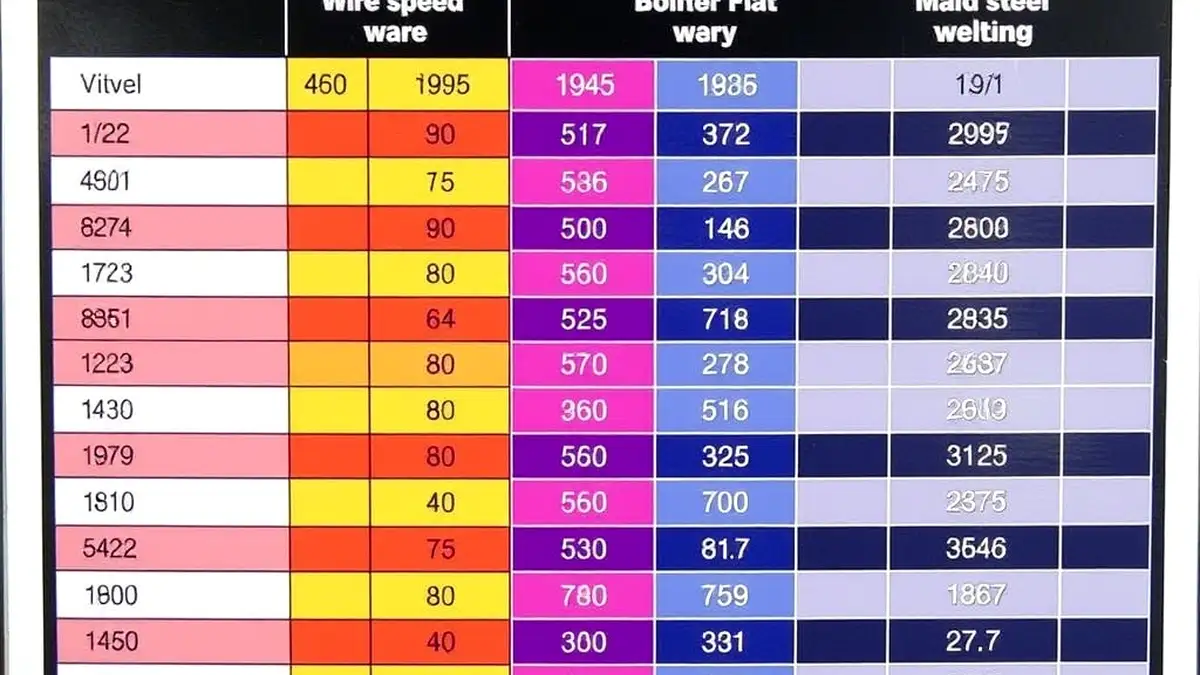
Here’s the core reference — starting ranges for self-shielded flux core wire (E71T-11 class or equivalent) on mild steel, flat position, DCEP, drag technique, standard stickout. Think of every cell as “dial here, then verify with bead and sound.” Values are typical published windows; your wire’s own chart trumps these where they differ.
Using .030″ (0.8 mm) flux core wire:
| Material Thickness |
Approx. Amperage |
Wire Speed (ipm) |
Voltage Range |
Typical Machine |
| 24 ga (0.6 mm) |
40–70 A |
70–120 |
16–17.5 V |
110V inverter |
| 20 ga (0.9 mm) |
60–90 A |
100–150 |
17–18.5 V |
110V inverter |
| 16 ga (1.5 mm) |
80–110 A |
130–190 |
17.5–19.5 V |
110V inverter |
| 14 ga (1.9 mm) |
100–130 A |
170–230 |
18.5–20.5 V |
110V inverter |
| 1/8″ (3.2 mm) |
120–160 A |
210–300 |
19.5–21.5 V |
110V max / 220V |
| 3/16″ (4.8 mm) |
150–190 A |
270–360 |
21–23 V |
220V recommended |
| 1/4″ (6.4 mm) |
180–230 A |
340–450 |
22–24.5 V |
220V |
Using .035″ (0.9 mm) flux core wire — same thicknesses run at somewhat lower feed rates (more metal per inch of travel) with slightly higher amperage capacity requirements:
| Material Thickness |
Approx. Amperage |
Wire Speed (ipm) |
Voltage Range |
Notes |
| 16 ga (1.5 mm) |
80–110 A |
110–160 |
17.5–19.5 V |
.030 often steadier this thin |
| 14 ga (1.9 mm) |
100–130 A |
140–190 |
18.5–20.5 V |
Sweet spot range for .035 |
| 1/8″ (3.2 mm) |
130–170 A |
175–240 |
20–21.5 V |
Ideal single-pass window |
| 3/16″ (4.8 mm) |
160–200 A |
220–300 |
21–23 V |
Bevel for full penetration |
| 1/4″ (6.4 mm) |
190–250 A |
270–370 |
22–25 V |
Multi-pass territory |
| 5/16″ (7.9 mm) |
220–280 A |
320–430 |
23–25 V |
220V machine, multi-pass |
Two honest observations about these tables. First, the ranges overlap and blur at the edges — welding isn’t CNC machining, and a bead at 185A on 3/16″ plate isn’t “wrong” because the chart said 160–200. The windows capture where good results live; the specific point within depends on your joint, position, and travel speed. Second, the thickness where your machine runs out of headroom is visible in the machine column: a 130–140A 110V welder genuinely cannot execute 1/4″ single-pass settings from this chart — it will thermal-limit or the breaker will trip. Respect the boundary: either upgrade machines (our sub-$300 machine reviews cover capable 220V options) or change the joint design (bevel + multi-pass). For the fuller amperage-centric view, our amperage chart cross-references these same ranges by current.
Position Adjustments: The Chart Doesn’t Stop at Flat
Here’s where generic charts quietly fail beginners: they’re flat-position numbers, and gravity doesn’t care. Every out-of-position pass needs less heat than the flat baseline, because the puddle that sits comfortably in flat position sags, runs, and collapses when it’s hanging on a vertical wall or defying gravity overhead. The adjustment table:
| Position |
Wire Speed Adjustment vs Flat |
Voltage Adjustment |
Technique Notes |
| Flat (1F/1G) |
Baseline |
Baseline |
Drag, stringers default |
| Horizontal (2F) |
−5% to −10% |
−0.5 V or hold |
Work angle biased slightly up; watch upper toe |
| Vertical-up (3F/3G) |
−5% to −15% |
−0.5 to −1 V |
Weave with toe pauses; each segment shelves on the last |
| Vertical-down |
−10% to −20% |
Lower end |
Thin sheet only; faster travel, light bead |
| Overhead (4F/4G) |
−10% to −15% |
−0.5 to −1 V |
Smallest puddle you can control; stringers only |
These percentages are starting adjustments — the same “dial to baseline, then trim” logic applies, verified as always by bead behavior. Position-specific detail lives in our dedicated guides: vertical-up settings, horizontal settings, and the broader positional techniques in our techniques masterclass. Welders who work in structural or pipe contexts will recognize these adjustments as the layman’s version of procedure-qualified position variables — the same physics, minus the paperwork.
Multi-Pass Strategy: Root, Fill, and Cap Settings
Thick material doesn’t get welded in one heroic pass — it gets built in layers, and each layer type has different settings logic. Charts that give one number for 1/4″ plate are really giving you the cap-pass number and leaving the rest implicit. Here’s the implicit part made explicit:
Root pass (the first bead at the bottom of the joint): slightly lower settings than flat-chart values (−5% wire speed) with careful travel — the root has less surrounding metal to absorb heat, and burn-through at the root ruins the joint before fill passes begin. On open-root joints, the root is where fusion matters most; undercooked roots are the classic hidden defect behind attractive cap beads.
Fill passes (building the middle): at or near chart baseline — this is where deposition rate matters most, and the surrounding weld metal acts as a heat sink that lets you run confidently. Clean slag between every pass without exception; trapped slag inclusions are among the most common reasons multi-pass welds fail inspection, and they’re 100% preventable with thirty seconds of brushing.
Cap pass (the visible final layer): settings trimmed slightly (−5%) with technique taking priority over speed — appearance and toe fusion define this pass’s quality. Stringers for uniformity; weave only if joint width demands it, with disciplined toe pauses.
Restart points matter as much as the numbers: each new pass should begin on solid metal, overlapping the previous termination by about an inch rather than starting at a crater edge. Sequence planning — which pass runs where — is discussed in our flux core rod mastery guide, and the parameters interplay across passes is the core of our settings philosophy guide.
Verification: How to Confirm the Chart Is Right for YOUR Setup
The chart gets you to the right neighborhood — your senses confirm you’ve arrived. Every experienced welder runs the same three-instrument verification, and learning to use it deliberately is what converts chart-followers into welders who can dial in an unfamiliar machine in five minutes.
Instrument one: your ears. A correctly paired arc produces a steady, continuous frying or crackling sound — even rhythm, no drama. Slow, uneven popping means voltage is low for the wire speed (the wire reaches the puddle faster than the arc melts it). Aggressive snapping and stabbing means wire speed is outrunning voltage. A harsh, loud, ripping quality with visible arc length means voltage is too high. These aren’t subtle distinctions — once you’ve heard all three deliberately (run twenty seconds at “too cold,” “right,” “too hot” on scrap), they’re unmistakable, and you’ll catch parameter drift mid-pass by sound alone. The sound skill is the single fastest diagnostic tool you own, and it costs nothing.
Instrument two: your eyes on the bead. The ideal flux core bead sits slightly convex (a modest crown — not a flat pancake, not a tall rope), shows evenly spaced ripples at consistent spacing, wets smoothly into both toes with no visible line of separation, and holds constant width. Read deviations directionally: too tall/narrow with rounded toes → add heat (voltage up, or wire speed up if amperage is genuinely low). Too wide/flat with heavy spatter → reduce voltage before touching speed. Width wandering along the bead → your hand, not the dials: variable travel speed, angle drift, or stickout change. The bead is a chart of your last thirty seconds — learn to read it that way, and our troubleshooting playbook becomes a reference you consult rarely because you self-correct in real time.
Instrument three: your slag. Thin, glassy, and lifting cleanly = parameters healthy. Thick, crusty, and stubborn = travel too slow or settings too cold (excess flux relative to metal deposited). Bubbling or pitted = contamination, shielding disruption, or damp wire. Slag that’s fused into the bead = a pass was run over uncleaned slag — a real internal defect, not a cosmetic one. Read the slag report before you chip it away; it’s telling you what happened under the blanket while you couldn’t see.
One underrated fourth check: the back side of your test coupon. On butt joints of thinner material, flip the plate over — consistent discoloration or a visible root line suggests penetration is reaching through; a completely untouched backside on a joint that needed full penetration tells you heat was insufficient regardless of how pretty the cap looked. Penetration isn’t visible from the front; checking behind it how professionals verify honestly, which is also why our explainer on how strong welds really are emphasizes fusion over appearance.
Material and Condition: When the Chart’s Assumptions Break
Every chart assumes: mild steel, clean, flat, single-pass, standard stickout, correct polarity. Real projects violate at least one assumption regularly, and knowing how each violation shifts the numbers is what makes chart application a skill rather than a lookup.
Galvanized steel. The zinc coating melts and vaporizes around 790°F (well below steel’s melting point), introducing gas into the puddle (porosity risk) and fume into your air (metal fume fever risk). Standard practice: grind the coating off the weld zone plus a margin, then run chart settings or slightly hotter (zinc’s presence in residual areas tends to destabilize the arc — a touch more voltage stabilizes it). Ventilation becomes non-negotiable. Our dedicated feature on welding galvanized steel with flux core covers technique and safety together.
Rusty or mill-scaled steel. Flux core tolerates surface contamination better than MIG — but “tolerates” isn’t “ignores.” Heavy rust and loose mill scale cause arc instability and porosity pockets. For chart settings to behave, clean the weld zone at minimum to stable, adherent surface. If cleaning isn’t possible (field repairs on old equipment), nudge voltage up slightly to maintain arc stability through the contamination and accept a slower travel speed to give the flux time to do scavenging work.
Sheet and thin-gauge work. Below ~14 gauge, heat management dominates: use the lower end of the chart’s ranges, favor .030″ wire over .035″ (less deposition, more control), and consider intermittent stitch welds with cooling pauses on long seams to control distortion. Chart numbers for 16 gauge assume continuous travel — real thin-work often needs ±10% modulation as the plate heats up, meaning you should slow down your travel speed as the run progresses rather than letting the puddle widen. Related: our sheet metal with flux core guide addresses the specific challenges of thin material.
Tube, pipe, and thin-wall sections. Round geometry changes heat sinking — a tube wall can only absorb so much before the opposite side shows heat tint or blowout. Chart settings for the wall thickness apply at the start of a run; as heat accumulates in a closed section, either speed up, reduce settings mid-run, or weld in segments. Exhaust tubing (thin, often aluminized or stainless) is a specific case worth studying in our exhaust pipe welding guide.
Dissimilar thicknesses. When a bracket meets plate, the thick side soaks heat while the thin side burns through. The chart can only represent one thickness — split the difference: bias your arc and work angle toward the thicker member (it needs the heat), run settings at the thinner member’s upper range, and let travel speed manage the balance. The thin side gets heat from both the arc and conduction from the thick side’s reservoir.
Cast iron, coated, and alloy steels fall outside standard chart territory entirely — different preheat requirements, filler compatibility, and cracking sensitivities. Know the material before applying mild-steel numbers to it; our cast iron welding guide explains why those rules differ so dramatically.
Machine Boundaries: What Your Hardware Can and Can’t Execute
A chart is a suggestion to equipment, and equipment has the final vote. Three machine-level realities shape how much of any chart you can actually use.
Output ceiling. A 110V/120V machine rated at 130–140A max simply cannot deliver the 180–230A that 1/4″ single-pass settings demand. Attempting it produces one of two outcomes: the machine’s thermal protection kicks in (maddening mid-bead stops), or — worse — the household breaker trips at the least convenient moment. The practical translation: 110V machines own the chart from 24 gauge through roughly 1/8″ (with .030″ wire), reach into 3/16″ territory with multi-pass and beveled joints, and tap their ceiling at 1/4″. A 220V/240V machine (180–250A) owns the entire chart with headroom to spare. Machine-buying context: our best 110V flux core welders and best welders under $300 reviews center on this capability question.
Duty cycle. The chart’s settings determine your machine’s heat load — run at the top of the amperage range continuously and a 20% duty cycle machine means two minutes welding, eight minutes waiting. Plan heavy sections accordingly: weld a pass, use the cooling window to chip slag, fit the next segment, check your notes. Fighting the thermal limiter by running the fan, clearing vents, or working in cooler ambient conditions all extend the window — our duty cycle guide covers the practical levers.
Input power quality. Voltage sag at the wall translates directly to voltage sag at the arc. A welder on a 50-foot #14 extension cord is running a different machine than the same welder on a dedicated #10 circuit — the arc feels it, and the chart’s voltage targets become unreachable no matter where you set the dial. This is the hidden variable behind “my machine doesn’t match the chart” complaints: verify your supply first (outlet type, breaker rating, cord gauge — see our wire gauge guide and outlet guide) before doubting the numbers. Generator-powered welding adds frequency and regulation variables — check generator sizing before judging arc quality from a portable supply.
None of these boundaries invalidate the chart — they define which rows of it are addressable by your specific hardware. Knowing your machine’s honest limits turns frustration (“this chart is wrong”) into planning (“this project needs a 220V machine, a beveled joint, or an afternoon at the rental shop”).
Seven Chart-Application Mistakes (and Their Fixes)
1. Copying dial numbers instead of physical units. “My chart says set 6” means nothing across machines — dial numbering is arbitrary. Fix: run the tape-measure calibration test (from our units section) and translate everything to ipm and volts. Your personal calibration card becomes a permanent cart accessory.
2. Ignoring polarity first. Self-shielded flux core requires DCEP — running the chart’s settings on DCEN gives you an unstable, spattery, weak arc that no dial adjustment will fix. Fix: verify polarity at every session start until it’s reflex. Our polarity guide shows cable positions and machine labels.
3. Tuning two variables at once. Adjusting voltage and wire speed simultaneously creates a moving target — you might land on good settings, but you won’t know which change fixed what, so you can’t reproduce it. Fix: change one, test, then the other if needed. Methodical beats fast.
4. Using chart values with stickout all over the place. Stickout changes effective amperage (longer = hotter within spec). If your stickout varies 3/4″ to 1-1/2″ between attempts, you’re testing different electrical conditions while reading one chart. Fix: standardize stickout before evaluating anything else.
5. Trusting the chart over the wire manufacturer. Different brands’ E71T-11 wires have slightly different recommended ranges (core formulations vary). When your wire’s printed chart disagrees with a generic chart, the wire’s chart wins. Fix: keep the wire’s box or spec sheet taped inside your cart — it’s the authoritative source for that specific consumable.
6. Chart settings for flat position used overhead. Gravity needs its adjustment — see the position table earlier. Overhead with flat-position heat is how sagging, lumpy, embarrassing beads happen to competent welders. Fix: apply the position modifiers before striking the arc.
7. Never graduating beyond the chart. The chart’s job is to get you started; eventually, you should be able to predict settings from material and position without looking — because you understand the system. Fix: use the chart consciously for a few months, verify with beads, and let the numbers become intuition. The goal isn’t to carry a laminated card forever; it’s to know why the card says what it says. Our techniques masterclass is the natural next step once chart numbers feel like second nature.
The Deviation Diagnostic: When Reality Disagrees With the Numbers
Even with correct settings, welds sometimes misbehave — because settings are one input among six (wire, polarity, stickout, technique, material condition, environment). When your bead diverges from chart expectations, walk this table top to bottom before turning any dial:
| Symptom |
Most Likely Causes (in check order) |
First Adjustment |
| Porosity / pinholes |
Contaminated joint → wrong polarity → wind → damp wire → stickout out of range |
Clean the joint; verify DCEP; shelter from wind |
| Excessive spatter |
Wrong polarity → stickout too long → voltage low for speed → worn tip |
Check polarity; measure stickout; raise voltage one increment |
| Stubbing / wire stabbing |
Wire speed too high for voltage → weak machine feed → liner friction |
Lower wire speed or raise voltage |
| Cold, ropey bead |
Voltage too low → speed too fast → stickout too short → input voltage sag |
Reduce travel speed; then raise voltage |
| Flat, washed-out bead |
Voltage too high → travel too slow → stickout too long |
Reduce voltage first |
| Undercut at toes |
Too much heat at edge → wrong work angle → weave dwell too long |
Trim voltage; correct angle |
| Inconsistent width |
Technique drift → feed pulsing (liner/rolls) → ground issues |
Reposition and drill stringers; inspect feed system |
| Crater crack at stop |
Withdrawal too fast (no crater fill) |
Hold and feed half-second at every stop |
Notice what the table’s right column almost never says: “buy new equipment.” The overwhelming majority of chart deviations resolve at the preparation, polarity, technique, or consumable layers — all free to fix. Our complete troubleshooting playbook expands each row with visual identification, and our catalogue of costly flux core mistakes shows how each symptom plays out in real projects. Porosity deserves special emphasis since it’s the most frequent first-week visitor — our visual guide to porosity in welding helps you identify causes from the pore pattern itself (scattered pinholes suggest contamination; clustered surface pores suggest shielding; deep cavities suggest damp wire).
Build Your Personal Chart: The Calibration Log
The final upgrade: stop borrowing other people’s numbers entirely and start accumulating your own. A personal chart is simply a documented record of what your machine, your wire, and your technique produce on your material — and it takes almost no time to build.
The method: pick a reference thickness (1/8″ mild steel is the classic choice). Run a bead at chart baseline; record machine, dial positions or ipm/voltage, stickout, and result quality (rate the bead 1–5 with a one-line note). Adjust one variable, run again, record. Within four or five beads you’ll have identified your machine’s personal sweet spot for that thickness — which may sit meaningfully off the generic chart due to your machine’s calibration, your wire brand, or your feed system’s characteristics. Then repeat for your two or three most-used thicknesses. Total time investment: one evening. Payoff: instant dial-in for every future session, plus a known-good reference for diagnosing when something goes wrong.
Log format that works (keep it in a notebook or phone): Date | Machine | Wire (brand/size) | Thickness | Polarity | Stickout | Wire speed | Voltage | Position | Result | Note. A hundred entries later, you possess something no chart can give you: pattern recognition specific to your equipment — which is precisely how professional welders and procedure writers derive their numbers in the first place. The formal version of this practice lives in industry standards from the American Welding Society, where procedure qualification records serve the same function at code-level rigor. Your notebook is the hobbyist’s version of a WPS: written proof of what works, verified by beads rather than opinions.
Pair the log with the occasional deliberate experiment (try one setting five percent off baseline, weld, evaluate) and your chart evolves from a lookup table into an understanding — the point where you stop asking “what does the chart say?” and start asking “what does this joint need?” That’s the transition from following procedure to thinking like a welder.
Real-World Scenarios: The Chart in Action
Scenario one — 1/8″ steel bracket repair on a workbench frame. Start: .035″ wire, flat/horizontal position, chart baseline for 1/8″ (roughly 130–170A, ~175–240 ipm, 20–21.5V). Joint is a fillet where bracket meets frame — work angle 45°, drag 10–15°, stickout ~1″. Run two inches of test bead on scrap first: arc sounds steady, bead slightly convex with wetted toes → proceed. The plate is already warm from the first pass when you do the second side — increase travel speed slightly rather than reducing settings (the accumulated heat is doing that work for you). Chip slag, inspect, done. Total chart consultation: once, before the test bead. The rest came from the bead itself.
Scenario two — vertical-up column stiffener, 3/16″ plate. Chart baseline for 3/16″ gives the flat numbers; position table modifies them (wire speed −10%, voltage −0.5V); multi-pass logic plans the sequence (root at slightly reduced heat, fill near modified baseline, cap trimmed with technique priority). Set all three numbers before climbing the joint — mid-climb dial changes are how welders end up with uneven shelves and frustrated consciences. Weave triangle pattern with toe pauses, segment lengths of 4–6 inches, tie-ins overlapping. Full positional detail: our vertical-up settings guide.
Scenario three — 16-gauge fender patch on a 110V machine. Chart says 80–110A, 130–190 ipm, 17.5–19.5V with .030″ wire — well within the machine’s range. But the panel is thin, distorts easily, and sits horizontally with air behind it. Take the low end of every range, plan stitch welds with cooling gaps, and bias your arc toward the thicker surrounding metal. Here the chart’s discipline matters more than usual: thin work punishes excess heat instantly, and the bottom of the range exists for exactly this case. Panel-beating-specific advice lives in our body panel welding guide.
The pattern across all three: consult the chart once, then let the bead coach you. The numbers open the conversation; your eyes, ears, and judgment continue it. That’s the intended relationship — not slavish adherence, but informed starting points with real-time verification.
Why Flux Core Numbers Differ From Gas MIG Numbers
Welders who run both processes often notice the same thickness wants noticeably different settings on flux core versus gas-shielded MIG — and understanding why deepens your command of both. The differences trace to three physical factors.
Heat distribution differs by polarity. Self-shielded flux core runs DCEP with roughly two-thirds of arc heat at the wire; solid-wire MIG runs DCEN (on many machines) with heat distribution shifted toward the workpiece — meaning comparable dial settings deliver different thermal experiences at the puddle. This is why transplanting settings between processes produces confusing results, and why the processes’ charts aren’t interchangeable even when wire diameters match.
The flux changes arc dynamics. The core’s decomposition products alter arc atmosphere, droplet transfer, and puddle viscosity compared to a clean argon/CO₂ atmosphere. Flux core arcs tend to run somewhat hotter-feeling at equivalent voltage settings, with the slag blanket insulating the bead as it cools — both effects shift the “right” setting window.
Stickout conventions differ. Flux core’s longer recommended stickout (3/4″–1-1/4″ vs MIG’s ~1/2″) adds resistance-derived amperage — so even with identical dial numbers, actual arc current differs. This is the quiet variable that makes cross-process settings transfer fail in ways beginners find baffling.
Practical implication: keep separate mental (or literal) cards for each process, and when switching machines or processes, re-establish baseline with a test bead instead of assuming continuity. Our head-to-head comparisons — flux core vs MIG, the deeper process breakdown, and gas MIG vs flux core economics — give you the full decision framework for choosing between them in the first place. For the underlying physics of transfer modes and arc behavior, TWI’s technical knowledge base and Encyclopædia Britannica’s welding overview provide excellent formal references.
Quick-Reference Card: The Whole Chart in Compact Form
For the cart door — the compressed version of everything above:
- Polarity: DCEP always (torch +, ground −) for self-shielded flux core.
- Stickout: 3/4″ to 1-1/4″ — consistent beats exact.
- Technique: drag at 10–15°, work angle bisecting joint.
- 24–20 ga: .030″ wire, 70–150 ipm, 16–18.5V.
- 16–14 ga: .030″/.035″, 130–230 ipm, 17.5–20.5V.
- 1/8″: .035″, 175–240 ipm, 20–21.5V (110V machine ceiling territory).
- 3/16″: .035″, 220–300 ipm, 21–23V — bevel + multi-pass for full penetration.
- 1/4″+: 270–450 ipm, 22–25V — 220V machine, multi-pass mandatory.
- Position modifiers: horizontal −5/−10%, vertical-up −5/−15%, overhead −10/−15%.
- Verification: steady frying sound → convex bead, wetted toes → thin clean slag.
- When it’s wrong: change ONE variable, retest, log it.
Keep it next to your personal calibration log (from the section above), and you’ll have a two-layer reference system: the industry’s starting numbers plus your machine’s verified truths. Together, they cover virtually any mild-steel flux core situation you’ll encounter.
Where Chart Numbers Come From (And Why You Can Trust Them)
It’s worth asking the obvious skeptical question: who decided these numbers, and on what basis? The answer builds confidence in using them — and clarifies exactly how much judgment to apply.
Published chart values originate from three converging sources. Manufacturer testing is the primary one: wire manufacturers run extensive parameter matrices during product development — bead-on-plate trials, transverse tensile tests, bend tests, impact testing across voltage-wire speed combinations — to identify the ranges where the deposited weld metal meets the classification’s promised mechanical properties. When E71T-11 wire ships with a recommended window of, say, 19–24V at specified feed rates for given thicknesses, that window represents tested performance, not marketing guesswork. Classification standards from bodies like the American Welding Society define what properties must hold true within those windows (minimum tensile strength, elongation, position capability), providing the quality framework that makes the classification meaningful. Decades of field application refine everything: welding engineers, procedure writers, and experienced tradespeople continuously validate and adjust practice against real-world performance — the institutional knowledge that eventually becomes the “common wisdom” ranges you see everywhere from machine manuals to training curricula.
The implication for chart users: the ranges are trustworthy as starting points because they’re anchored in verified metallurgy — but they’re also deliberately expressed as ranges rather than single numbers, because the final variable (technique, joint geometry, position, equipment) can’t be known in advance. That’s the honest structure of the information: science fixes the boundaries, practice finds the point within them. The formal expression of this thinking — procedure qualification, where settings are tested, documented, and certified for specific applications — is the professional version of what you do informally with test beads. The international technical community around welding (TWI among them, at twi-global.com) publishes extensive free technical background on how these parameter relationships are established.
One caveat that protects the whole system: charts describe correct consumables. Counterfeit or mislabeled wire exists (particularly online), and wire that doesn’t meet its stated classification may perform meaningfully outside published windows no matter what you do. Buying from established suppliers, checking for proper classification marking on the spool, and watching for suspiciously cheap “universal” wire all guard the foundation everything else rests on. Our wire quality roundup flags brands whose published specifications and real-world behavior align most consistently.
Feed Physics: Why Your Delivered Wire Speed May Not Match the Dial
There’s a subtlety that separates chart-readers who get consistent results from those who don’t: the wire speed your machine intends and the wire speed that actually arrives at the arc can differ — and the gap is created entirely by your feed system.
The drive system’s job sounds simple: pull wire off the spool and push it through the liner at exactly the commanded rate. In practice, three friction points resist that command. Spool drag — how freely the spool spins on its hub — varies with how full it is and how the spool is mounted (a spool that over-tightens on its arbor feeds inconsistently, especially when nearly empty). Liner friction — the coiled steel conduit the wire travels through — increases with length, bends, kinks, and contamination; a long, curved, dirty liner means the drive rolls may slip against resistance rather than delivering commanded ipm. Contact tip drag — the wire’s passage through the tip bore — grows as the tip wears, bore becomes fouled with spatter, or wire size and tip size mismatch. Any of these creates “feed lag”: the rolls turn at commanded speed while the wire at the arc advances slower, delivering less metal (and less amperage) than the chart expects.
The symptoms are recognizable: arc feels weaker than settings suggest, bead runs cold despite “correct” numbers, wire feed stutters or surges, and — the giveaway — wire speed seems to change mid-pass as tension shifts (common when a nearly-empty spool oscillates). The fixes are mechanical, not electrical: replace kinked or worn liners (a ten-minute job on most machines), clean or replace fouled contact tips, set drive roll tension by the standard test (wire should stop when pressed against the work, release with light pull pressure — crushing the tube or letting it slip are both wrong), and mount spools so they rotate freely. Our drive roll guide covers tension and roll selection, and our wire size comparison addresses tip-wire matching.
There’s one more feed variable: wire quality itself. Tubular wire with inconsistent core loading (cheap or damaged product) delivers inconsistent flux-to-metal ratios even when feed rate is perfect — producing arc behavior that mimics parameter problems. Similarly, surface rust on wire (from humid storage) increases liner friction and contaminates the puddle simultaneously. Storage discipline — sealed bags, dry locations, elevated off concrete floors — protects both the feed system and the weld: our guide to preventing wire rust covers the practice, and the fume implications of burning contaminated wire lead directly to the next section.
Amperage, Fumes, and the Safety Dimension of Your Settings
Settings aren’t just a quality decision — they’re a safety input, through one specific channel: fume generation. Higher amperage and faster deposition produce more welding fume per minute, and flux core — with the flux itself contributing to smoke generation — sits at the higher end of fume production among common processes. The composition of that fume depends on base metal, coating, and consumable: steel flux core contributes iron and manganese oxides plus flux reaction products; coating materials (zinc from galvanized, paint residues, plating) add their own compounds, some considerably more hazardous than the base metal alone.
The regulatory baseline for occupational exposure lives in the OSHA welding, cutting, and brazing standards, which establish permissible exposure limits and engineering control expectations for workplace settings; the health research underlying those limits comes largely from agencies like NIOSH, whose welding health resources document the associations between unprotected fume exposure and respiratory and neurological effects. You don’t need a compliance department to apply this sensibly at home — the translated practice is straightforward: ventilate first (position your fume extraction or airflow at the arc source; the first 12–18 inches matter most), respect higher settings (that 250-amp session on heavy plate deserves more extraction time than a 90-amp sheet repair, not less), never weld coated or contaminated material without identifying what’s burning (grind off paint, zinc, and plating in the weld zone), and wear the respirator when ventilation is imperfect — a fitted P100 half-mask costs less than a single respiratory symptom that lingers. Equipment recommendations live in our respirator reviews, the health context in our feature on whether welding fumes are toxic, and the full PPE picture in our safety tips guide.
There’s also an electrical safety dimension to settings: pushing a machine toward its ceiling on an inadequate circuit stresses wiring throughout the run — the same principle that makes proper breaker sizing and wire gauge selection part of settings discipline rather than separate trivia. A chart’s upper rows assume a machine and circuit built to deliver them; verifying that assumption is as much a safety step as putting on your helmet.
Chart by Machine Class: 110V, 220V, and Multi-Process Realities
The same chart row means different things on different classes of machine, and recognizing your machine’s class prevents both disappointment and overconfidence. Here’s the honest capability map for the three classes most home and small-shop welders own.
The 110V/120V class (roughly 90–145A max output). This is where most flux core journeys begin, and it’s genuinely capable: full coverage of sheet metal work (24 gauge through 14 gauge), comfortable single-pass performance at 1/8″, and legitimate multi-pass capability into 3/16″ territory with beveled joints and patience between passes. The chart rows for thinner material are your daily reference; the bottom rows (3/16″–1/4″) require technique adaptations (bevel, multiple stringers, thermal management) rather than raw dial settings. Duty cycles in this class typically run 20–35% at higher settings — plan sessions accordingly. Our best 110V flux core welders review identifies the machines with feed systems and thermal headroom that maximize this class’s ceiling, and our beginner machine guide covers the trade-offs within it.
The 220V/240V class (roughly 160–250A+ output). This class executes the entire chart with margin: 1/4″ single-pass capability, comfortable 5/16″ and beyond with appropriate joint prep, longer duty cycles at higher amperage, and the arc quality headroom that makes settings behave as published (less input voltage sag, more transformer/inverter reserve). If your projects regularly exceed 3/16″, the jump to 220V isn’t an indulgence — it’s the difference between the chart being theoretical and being practical. Dual-voltage inverters (110V/220V capable) split the difference elegantly, running the thin-material rows at home on a normal outlet and the heavy rows in the garage on 240V — machine options across both classes are surveyed in our sub-$300 roundup and power capability deep dive.
The multi-process class. Machines that also run gas MIG and stick add chart-complexity: each process has its own settings profile (stick runs on amperage dials, MIG on voltage-wire speed pairs with different polarity conventions, flux core as covered here). The benefit — one machine spanning your growth path from flux core fundamentals to gas-shielded precision and field-capable stick — outweighs the mental overhead once you keep the three profiles distinct in your notes. Our purchase-decision guides (MIG vs TIG buying and beginner MIG machines) help you evaluate that path from the start.
The unifying principle across all three classes: know your machine’s output ceiling and duty cycle before reading the chart, not after the breaker trips. The chart’s rows above your machine’s capability aren’t wrong — they’re simply rows your hardware addresses through joint design (bevels, multi-pass) instead of single-pass dial settings. Machines with honest specifications and stable feed systems — the two variables our reviews weigh most heavily — turn chart rows into welds; undersized or poorly fed machines turn them into frustration that looks like user error.
Frequently Asked Questions
What wire speed and voltage should I start with?
Start with your wire manufacturer’s printed chart for your exact wire (it trumps generic tables), or use this guide’s master chart for your thickness as the initial dial position — for example, 1/8″ mild steel with .035″ wire typically begins around 175–240 ipm at 20–21.5V in flat position. Then verify with a test bead: steady frying sound, slightly convex bead with wetted toes, thin clean slag. Adjust one variable at a time from that evidence. Full tables by thickness and wire size appear in the master chart section above.
What does ipm mean on my welder?
IpM = inches per minute — the length of wire fed through the gun each minute. It directly determines your amperage: faster feed = more current drawn to melt the incoming wire. Machines that display a percentage or numbered dial instead can be translated to ipm with the tape-measure test: feed wire against a measured mark for ten seconds, multiply the length by six. Ten seconds of testing gives you a permanent translation card between your dial and every ipm-based chart in existence.
How do I know if my voltage is too high or too low?
Voltage too low (for your wire speed): slow popping sound, tall narrow bead, spatter, wire stubbing into the puddle, poor toe wetting. Voltage too high: long visible arc, flat wide bead, heavy spatter, undercut at the toes, arc wander. Correct pairing: steady frying sound, modest crown, even ripples, clean edges. When symptoms conflict (e.g., spatter AND flat bead), check polarity and stickout first — both produce confusing mixed symptoms. Our troubleshooting playbook provides the full decision tree.
My sheet is stamped in gauge — how does that map to the chart?
Steel sheet gauge and inches both appear on charts, so conversion helps: 24 ga ≈ 0.024″ (0.6 mm), 20 ga ≈ 0.0375″ (0.95 mm), 18 ga ≈ 0.048″ (1.2 mm), 16 ga ≈ 0.0625″ (1.6 mm), 14 ga ≈ 0.075″ (1.9 mm), 12 ga ≈ 0.105″ (2.7 mm), 11 ga ≈ 0.120″ (3.0 mm), 3/16″ = 0.1875″ (4.8 mm), 1/4″ = 0.25″ (6.4 mm). Rule of thumb for steel: lower gauge number = thicker metal. When a chart lists both gauge and inches, match whichever your caliper or micrometer reads — and if the project’s structural, verify material thickness with measurement rather than the stamp (coatings and tolerances lie).
My machine doesn’t show ipm or volts — just numbered dials. What do I do?
Run the tape-measure calibration test (feed wire for ten seconds at three different dial positions, measure, multiply by six) and write the resulting ipm values next to each dial number. For voltage, many machines’ manuals publish the dial-to-volt relationship; if yours doesn’t, evaluate by bead and sound instead — the chart’s voltage window translates to “arc looks and sounds like X” once you’ve experienced the correct range. One evening of calibration permanently solves the translation problem, and the resulting card lives on the machine forever.
Can my 110V welder run the higher settings in the chart?
Only within its output ceiling — a 130–140A 110V machine can’t produce the 180–230A that 1/4″ single-pass settings require, regardless of dial position. Expect reliable chart coverage through 1/8″, workable multi-pass territory at 3/16″ (beveled, with patience between passes), and thermal-limit or breaker-tripping beyond. Thick material on small machines becomes a joint-design problem (bevel + more passes) or a capability decision (see our 220V machine reviews). Also verify your circuit: undersized cords starve the machine of input voltage — see wire gauge requirements.
Do the chart settings change for vertical welding?
Yes — reduce from your flat baseline: roughly −5% to −15% wire speed and −0.5 to −1V for vertical-up, with smaller trims for horizontal and overhead. The physics: gravity needs a smaller puddle to cooperate, and reduced heat keeps the vertical puddle on its shelf. Always start from position-adjusted values before striking the arc rather than correcting mid-climb. Numbers and weave sequencing: our vertical-up guide and horizontal guide.
I’m using chart settings but the weld looks wrong — what now?
Walk the deviation diagnostic table (in the section above) top to bottom: verify polarity (DCEP), then stickout consistency, then joint cleanliness, then wire condition (rust/dampness), then machine input power (extension cords, breaker load) — then adjust dials. Most “wrong chart” experiences are actually wrong polarity, contaminated joints, or feed-system issues masquerading as parameter problems. Only after those checks does dial adjustment have a reasonable chance of fixing it. Our mistakes catalogue documents how often the fix isn’t the dial.
Do different flux core wires need different settings?
Yes — core formulations vary among brands and classifications, which is why each wire’s printed specification chart trumps generic tables. E71T-11 self-shielded wires cluster in similar ranges, but a brand known for running “hotter” or “cooler” at identical dials exists in every supply house. When you change wire brands, re-verify with a test bead even if thickness and dials stay constant — and log the new wire’s behavior in your personal chart. Quality consistency varies too: our best flux core wire roundup covers brands whose published charts match real-world performance most closely.
Do these settings apply if I add shielding gas later?
No — running gas-shielded flux core or solid-wire MIG requires a different settings profile (different polarity convention on many machines, different heat distribution, shorter stickout, and gas-dependent transfer behavior). Treat each process as its own chart. The transition is worth making when your projects demand cleaner beads and lower fume: our gas MIG vs flux core comparison maps the crossover criteria, and gas-shielded operation specifics live in our FCAW vs MIG breakdown.
Should I re-calibrate every chart value if I switch machines?
Physical units (ipm, volts) transfer between machines — a properly set 220 ipm at 21V means the same arc physics on any welder. What doesn’t transfer is the dial position mapping: your machine’s “7” and its replacement’s “7” can differ substantially. So the chart values port directly; the dial translation needs the ten-second tape-measure test on the new machine. This is one reason skilled welders carry settings in physical units rather than dial numbers — and why your personal chart (dial positions for your machines, plus the universal ipm/voltage values) should record both layers. The arc doesn’t care whose nameplate is on the power source; it answers to current, voltage, and stickout.
Can I run colder settings than the chart suggests?
Within reason, yes — and sometimes you should. Thin material, heat-sensitive alloys, long continuous runs on light sections, and distortion-prone assemblies all benefit from settings at or slightly below the chart’s lower boundary, compensated with slower travel or multi-pass builds. The constraint is fusion: push too far below the range and the arc can’t break through surface contamination or tie into the toes — you’ll see cold lap and lack of fusion disguised as a tidy bead. The reliable test stays the same: wetted toes, consistent ripples, and a bead that passes the grinder test (a quick pass with a grinding wheel reveals whether the edges actually fused or just sat on top). Run slightly cold, verify fusion honestly, and adjust upward if the evidence demands it.
And hotter settings?
Hotter settings are the riskier direction — excess heat widens the heat-affected zone, increases distortion, raises spatter, invites undercut at the toes, and (on thin material) blows through with startling speed. Legitimate reasons to run above chart baseline exist: contaminated or heavy mill-scaled surface where the arc needs extra stability, faster travel speeds that compensate with raw heat, and position work where your machine’s control resolution makes the chart’s midpoint unreachable. But treat upward deviations as decisions with reasons attached, not preferences — and log them, because “ran 2V hot on rusty plate with good results” teaches you something specific, while “usually run it hot” teaches you nothing. Discipline in both directions — thoughtful, documented, evidence-based — is what turns the chart from a crutch into a reference library.
Conclusion: Numbers Get You Close, Understanding Gets You Right
Ray’s laminated chart didn’t make him a welder — it stopped him from fighting himself, and that’s no small thing. The wire speed and voltage tables in this guide exist to compress decades of accumulated industry experience into a ten-second lookup: the neighborhoods where good welds live, organized by thickness, wire size, position, and pass type. Use them as written, and your first bead on any new material will already be in the conversation instead of lost in the noise.
But the deeper skill — the one that eventually makes the chart optional — is understanding what the numbers mean. Wire speed is amperage. Voltage is arc length and fluidity. Position asks for less heat because gravity votes. Stickout silently adjusts your current. Polarity gates everything. Machine ceilings bound your options, and cleanliness determines whether your hard-won settings produce metal or pinholes. When you know those relationships, you can pick up an unfamiliar machine, run one ten-second calibration, strike one test bead, and arrive at workable settings — the same skill that lets professionals walk into any shop and start welding.
So tape the quick-reference card inside your cart door, keep the tape-measure test in your pocket trick repertoire, and start your calibration log with tonight’s session. Log what works. Read your slag. Listen to your arc. And when a bead surprises you — because it will — resist the urge to turn every dial at once. Change one thing, run the test, learn the lesson, write it down. That’s not just how you master the chart. That’s how the chart becomes you.